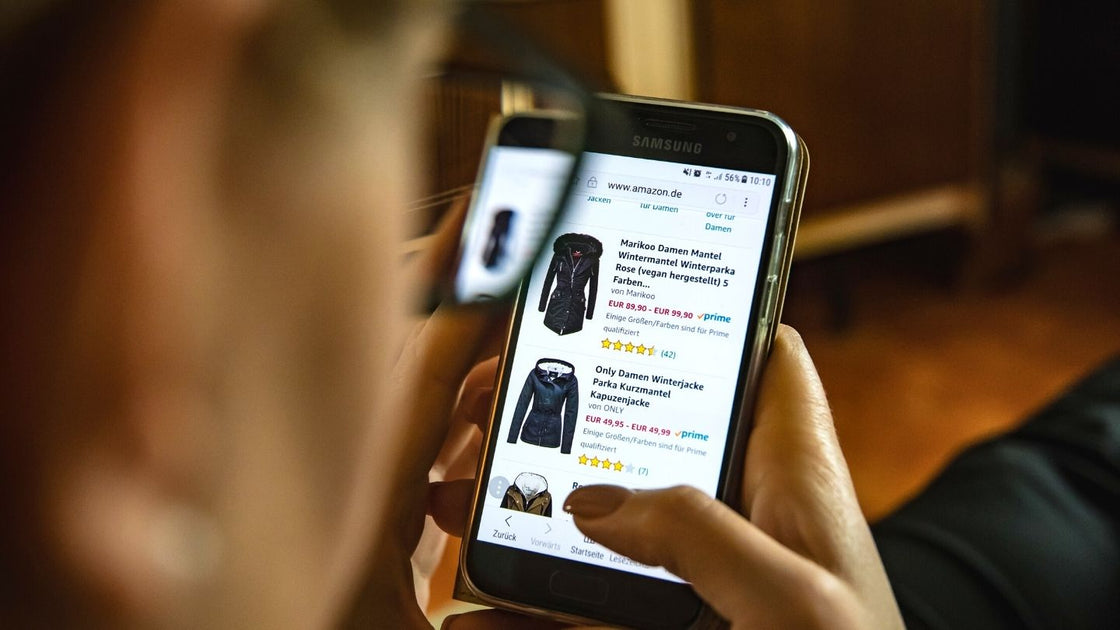
At FREED, we believe in continuous improvement of the user experience in e-commerce, a world where you must adapt very quickly to the constant and accelerated evolution of people's needs and their usage context.
That's why we're sharing a couple of articles with you that will be very useful for working on the growth of your online business: we start with 12 SEO improvements for your e-commerce site's Google ranking and now we'll cover the key points to improve user experience (UX) in an e-commerce site and thus make your customers want to repeat their purchase.
The main menu of your e-commerce site is an essential element for user experience. In recent years, we have analyzed more than 200 websites and found that one of the frequent usability problems is navigation. Therefore, navigation can be a good starting point in a process of improving UX in e-commerce.
Imagine you arrive at a place for the first time with a goal in mind and in a few seconds you must understand how to move to achieve it. For this reason, your menu must contain all the product categories that are available for sale at that moment, offering a complete view to the potential customer.
Separate your products into categories and subcategories that allow for a fast and intuitive navigation, helping to easily find a specific product. To achieve this, it is important that, before publishing your products, you design this navigation and group the items into categories that are logical and understandable.
To improve UX in an e-commerce by ensuring intuitive navigation, you need to conduct user tests to verify that you are complying with these precepts. Card sorting is a good option for testing navigation.
If the customer already knows what they need, they will surely choose to use your e-commerce site's search engine instead of browsing through the menu categories. Search is essential in e-commerce.
Your search engine must be able to find all indexed content, not just products, but also policies, terms of service, and help material. It's about making users' lives simple, and a good search engine allows them to achieve their goal in fewer steps, and even better if it has filters to refine the search.
In this sense, it is very important that before contracting your e-commerce platform, you ensure that it has a powerful search engine and the option of extensions or add-ons to optimize its operation.
This is one of the most critical issues and where friction causes the highest abandonment rates on an e-commerce site.
Think about simplifying, having the fewest possible steps, and not asking for too much unnecessary data, in addition to providing all guarantees so that your potential customers feel secure when entering their financial data. To achieve this, work on these points:
-
Purchase in a few steps because the more steps the process has, the more opportunities you give people to abandon the shopping cart. Ideally, entering the payment method and shipping details should be resolved in one or two steps; everything else is an obstacle.
-
Simple forms: only ask for the minimum data to complete a sale.
-
Sale without mandatory registration: your customers should be able to buy by only providing their payment and delivery information. To obtain more personal data, ask after the sale has been completed if they wish to return to your e-commerce site to register a customer account. Forcing people to do something unnecessary is a fatal error in user experience.
-
Offer several payment options: there is no longer any reason to limit yourself to accepting only credit card payments when there are so many other options such as PayPal, direct transfer, e-check, and even cash on delivery. E-commerce sales are growing by leaps and bounds, and to expand your customer base, you must accept different types of people.
-
Take great care of your shopping cart design: abandonment before payment can exceed 70%, and there are several reasons. Focus on ensuring that the user experience is simple, clear, and comfortable. The shopping cart must:
- Allow adding and removing products, as well as editing the quantity of items.
- Allow automatic updating of content and total amount after each change.
- Allow continuing to shop without deleting loaded items.
- Have very clear calls to action that prevent errors.

Knowing how much money we are going to spend on an e-commerce site is, without a doubt, a matter of user experience. Your potential customers must know the shipping costs before making the purchase, being easy to find on a dedicated page, on the product sheets, and during the payment process. If it is a charge that depends on variables that only allow you to show the exact figure at the time of payment, you can declare the approximate expenses and make transparent what influences the final amount.
Remember that your potential customers cannot manipulate the products and depend on the images on your e-commerce site to get an idea of what it looks like, its color, and how it is used. The recommendation is to do everything possible to recreate the experience of having the item in view, using good-sized and optimal quality photographs. Also, have the option for the customer to click to enlarge the image to see more details. Find out what the optimal dimensions are for your platform to guarantee this. And another important point for any e-commerce site is to provide at least five images from different angles and even use one to inform and give references about the product's size.
This is a very effective hook to increase sales on any e-commerce site. It involves facilitating the offer of products related to the customer or the product, by placing a gallery of options at the bottom of the product page and in the shopping cart. An example would be to show leather belts and shirts on the product page for a pair of pants. This point is so important for the user experience that you should find out if the functionality is available before contracting an e-commerce platform.
- Easily accessible customer service is not only a requirement for providing high-level attention to those who need to solve a problem. It is also a guarantee for the first-time buyer that there is a support platform in case of any inconvenience, an aspect that reinforces the purchase decision. This not only implies that access to the section is in a very visible place on the interface, but also that different contact methods are offered, such as chat, email, form, phone, etc. No less important is that you inform what the response time is and that it is effectively met.
- Likewise, it is necessary to implement a Help and FAQ section that allows people to resolve their doubts and inconveniences before resorting to customer service. The most intuitive location for customer service and the help section is in the footer, and it must be present throughout the navigation of your e-commerce site.
- Another relevant point is that you offer your customers contextual help in the critical steps of the purchase process, that is, where you have detected that there is cart abandonment and in the points that could be more complex to resolve. Contextual help can be a simple message under a data field, such as providing an example of the format in which the payment method number should be entered, for example.
In addition to not being able to touch the products, your potential customer is unable to go to a sales assistant to ask if there are any guarantees and what to do in case of product defects or to make a return. And, being a digital medium, they will also want to know how their personal data will be handled. All of this is part of the efforts you must make to establish a friendly relationship with your users and is resolved by publishing your online store's policies. For this, use the footer to link to:
- Terms and Conditions of Service.
- Cookie Policy.
- Privacy Policy.
- Shipping Policy.
- Returns and Exchanges Policy.
A significant detail is the recommendation to adapt your policies to the General Data Protection Regulation (GDPR) and the Consumer Rights of the European Union, considering that people from these territories might visit your e-commerce site.
A more accessible online store implies having some services that make it easy for people with disabilities to use. There are basic accessibility measures that you should already comply with to improve your e-commerce site's SEO, and others that we have consulted in the Web Accessibility Guide of the National Disability Service of Chile, such as the following:
- Use the ALT attribute in your images and videos to allow people with sensory disabilities to access the content depicted in these elements.
- Use fonts of appropriate size, color, and contrast.
- Ensure that all site functions are available through keyboard use for visually impaired people who do not use a mouse.
- Do not use design elements that may cause epileptic attacks or seizures (content flashing more than 3 times per second).
- Avoid visual distractions that can cause problems for people with dyslexia.
All the user experience elements we've discussed here are very important, but the most significant thing is to constantly conduct tests to verify what you're doing well, what you can correct, and to experiment with solutions, always with the goal of working on continuous improvement for your e-commerce site. Since it's difficult to perfectly imitate the real experience of a potential customer visiting your online store for the first time, we recommend recruiting users for your tests to avoid biases. Someone who has never seen your site might find a serious flaw that explains why users are abandoning their shopping carts or provide key data to increase sales. That's how valuable testing and experimentation are, especially if you can perform A/B testing, where you experiment with different buttons, colors, texts, or images.
The user experience of your e-commerce site will define how customers perceive your brand, because we are talking about making a satisfactory purchase or not, regardless of the type of product or service you offer. Most likely, this will determine whether the customer returns to repeat the experience with your online store, that is, it will cause them to interact with your brand again or not. The most important thing is that you are playing for the possibility of transforming users into paying customers and, later, into loyal followers of your business.
But this has another vital point: the development of your e-commerce site will never stop. As we said a little earlier, you must carry out continuous improvement work because in e-commerce what is effective today will not be tomorrow, and even your most loyal customers will perceive this. You must strive every day to optimize your categories, your content, navigation, and discoverability, so that users always perceive that your e-commerce site offers them an improved experience.
What other measures to improve the UX of an e-commerce site would you apply? Have you worked on this aspect with your e-commerce or that of a company?