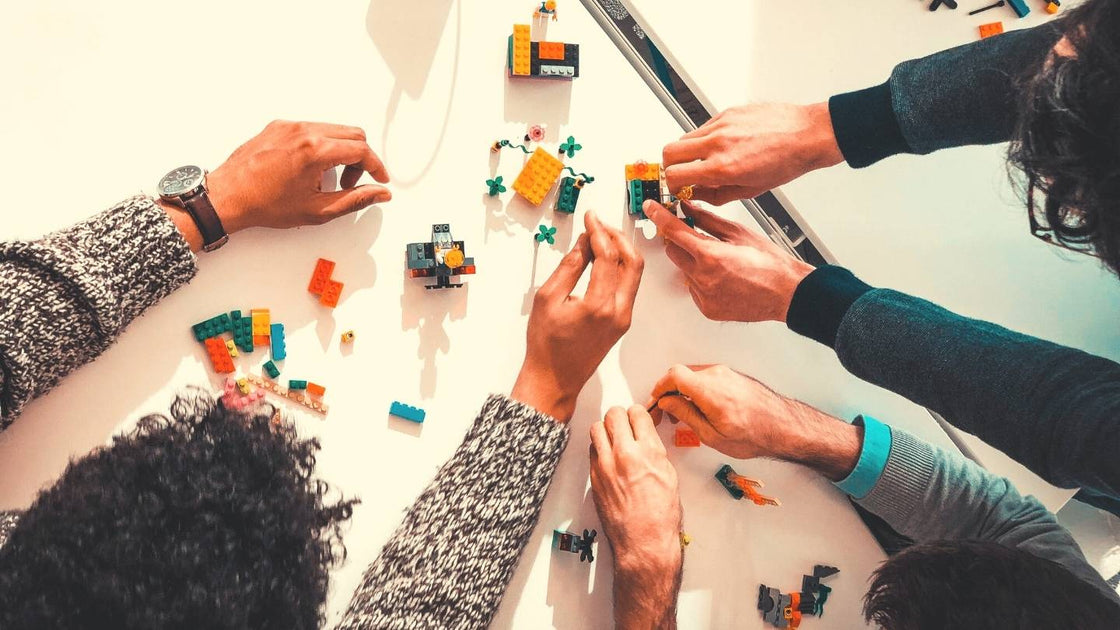
On our blog, we have covered from different angles what UX Research is, to teach about this research methodology and understand its advantages. Now that we have clearly defined what it is, it's time to talk about a method widely used in the early stages of product or service design: the prototype.
Here we tell you what a prototype is and what it's for. In addition, we have provided you with material that will be very useful for you to start making your own prototypes: FREED's paper prototyping pads and prototyping checklists.
What is a prototype?
When we go to our industry and look for what a prototype means, we find more than one variant in its definition:
A prototype is a representation of a product or service based on a virtue or quality of it.
A prototype is a material representation of ideas and solutions, and it relates to experience.
A prototype is also an object designed for a demonstration of any type of product, service, software, application, etc.
We also find various words that are used as synonyms for prototype!
Among them: exemplar, example, guide, sample, mold, model, pattern, guideline, pilot.
Get our analysis in your inbox
Subscribe to the FREED newsletter: applied research, trends and tools.
No spam. Unsubscribe anytime.
What is prototyping?
Prototyping by definition is a technique that allows to create and materialize various solution ideas proposed in a design or redesign project for products and services.
Prototyping can be linked to the complete journey of a service or to a specific touchpoint. In any case, it will be necessary to represent the usage scenario of the solutions to get users involved in the experience.
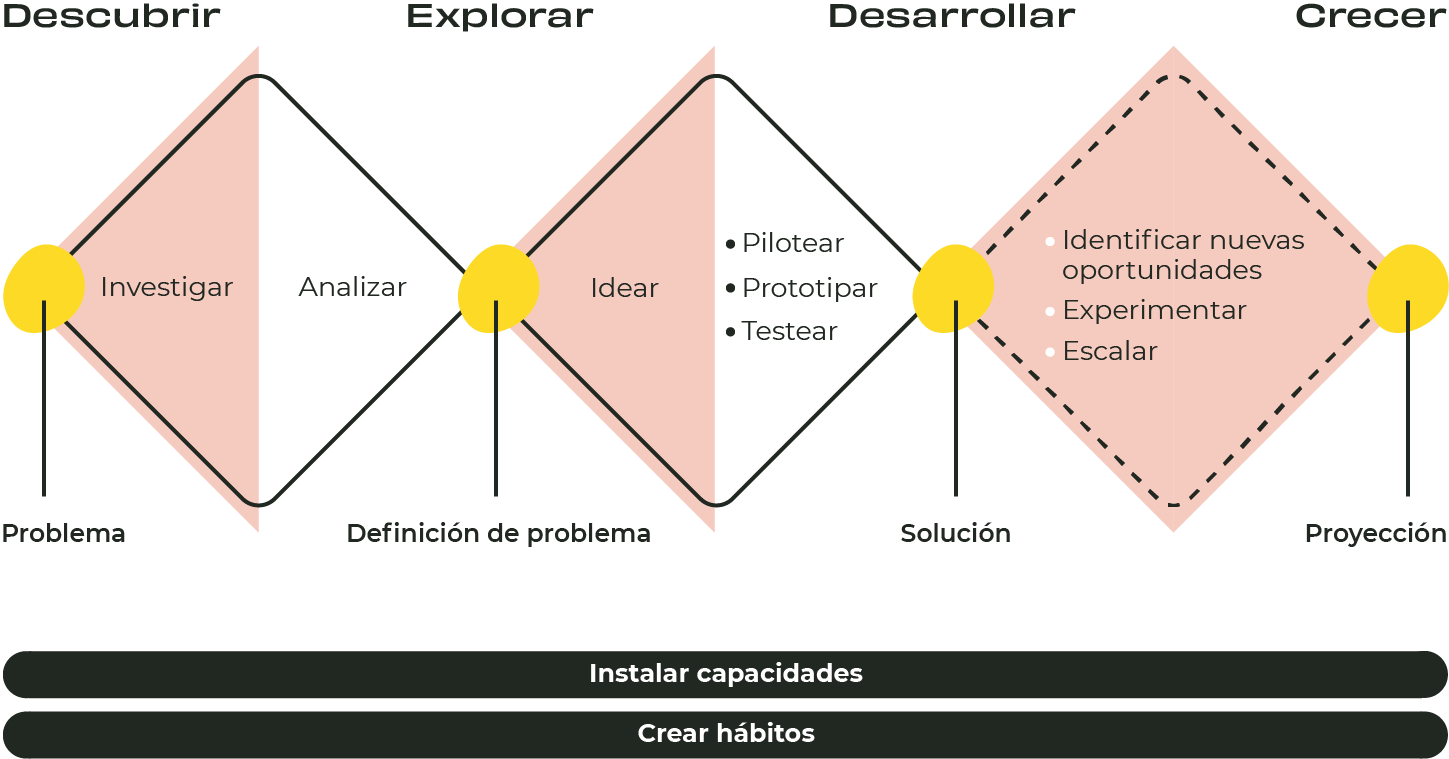
At FREED, we apply prototyping as part of the innovation and experience design process, and in the following chart, we can understand at what stage of this design methodology prototyping and testing of our assumptions apply:
Source: self-made based on the Double Diamond Model by Design Council UK.
As we can see in the image, a prototype is built after the ideation stage.
What is prototyping for?
In collaborative design processes for new products and services, and continuous improvement, a prototype is essential for validating ideas. In continuous improvement processes, making a prototype allows for timely testing of ideas before deploying them on a large scale and discovering opportunities for improvement in stages prior to the definitive design of a product or service.
Prototyping allows us to develop various solution options and define guidelines for the final design proposal of a product or service. It also serves to:
Shape and materialize a solution idea.
Generate a common understanding of possible solutions.
Explore user experience and get feedback.
Preview the result of an idea (note that it is not the final product the customer will see).
Fail early and at low cost.
Identify opportunities to improve a design.
Obtain formal guidelines for the final design.
Save money: instead of developing something that doesn't meet the needs of the target audience, or worse, that no one wants, a prototype allows validation at an early stage.
Characteristics of a prototype
Concrete and tangible.
Basic functionalities.
Maximum benefits.
Fast
Cheap
Disposable
What to do before prototyping
Define objectives: what we want to achieve.
What is essential that we want to validate: everything else is less relevant (e.g., if it is a solution to visualize company results through a dashboard with KPIs, the user creation flow is not essential).
Who is the user, what is the context of use.
How we will measure whether the prototype succeeds or fails.
What to do after prototyping
Test the prototype.
Make decisions (e.g., improve the prototype, discard it, design another...).
Prototype or prototyping methodology
The prototyping methodology is related to continuous improvement and the Deming Cycle, which consists of an iterative process focused on designing, implementing, measuring, and adjusting a plan.
In the case of a prototype, we could apply 5 stages in the design and implementation of an idea (previously prioritized to move to the prototyping process). This methodology can be applied in the development of new businesses, web prototyping, application prototyping, among other environments.
5 stages to design and implement a prototype:
Define requirements and variables. The first thing is to know what we are going to explore, what the purpose of the prototype is, what elements are required.
Define design and testing tools. The choice of the right tool depends on the type of project, the level of fidelity needed, and what you want to test. Available options are constantly evolving, and new platforms are emerging that can meet every need today (we will talk more about prototyping tools later).
Design the prototype of your idea. Analyze which type of prototype is most suitable and evaluate factors such as design, assembly, ergonomics, materials, shapes, dimensions, among others.
Test the prototype. Introduce the prototype to users, observe and record the prototype's performance, and allow the user to contribute ideas.
Analyze results and learnings. Based on the initial definition and the prototype's performance, refine the solution concept.
The constructed prototype must be as visual and tangible as possible to generate a conversation with the people for whom we are designing. Furthermore, in an agile environment, moving from sketch to prototype is prioritized because the goal is to dedicate more time to creating interactive assets versus intangible and inactive objects.
Prototyping tools
As we said, tools for creating and testing prototypes evolve every day, and the offer grows non-stop. Therefore, here we will show you the most prominent ones to get you started with prototyping.
Figma is one of the most popular tools for low and high-fidelity prototypes. It stands out for its real-time collaborative capabilities, the auto-layout function that allows creating responsive prototypes, and its integration with AI (FigGPT).
Adobe XD has interactive prototyping capabilities and features like auto-animate, which allows creating fluid transitions between different design states. It has real-time collaboration functions and is very easy to integrate with Photoshop and Illustrator.
Axure RP is ideal for creating high-fidelity interactive prototypes with complex logic. It allows designing complete flows with conditions and variables, being useful for web and mobile application prototypes with advanced interaction.
Maze allows you to quickly validate your prototypes and integrates with design tools like Figma, Adobe XD, and Sketch, so prototypes can be tested by real users in minutes.
ProtoPie is ideal for mobile prototyping, as it supports native interactions like drag, tap, swipe, etc. It is also known for its ease of use and integration with Figma, Sketch, and Adobe XD.
Webflow allows creating functional websites with visual prototyping and development capabilities. It's a good option if you're looking to transform a prototype into a Minimum Viable Product (MVP) without needing to write code.
Uizard is an AI-powered tool that automatically converts sketches into functional prototypes. It's perfect for those seeking speed and efficiency in the early stages of design.
POP by Marvel is a mobile application that allows you to prototype on paper, scan the sheets, and simulate a mobile app.
Since AI became mainstream, I have to confess that my prototyping processes have accelerated, mainly due to vibe coding, or this technique of creating digital products with AI without actually writing code. And one of my favorite tools for vibe coding is Lovable. In fact, Lovable allows you to go beyond creating prototypes and build software products, from front to back.
On FREED's YouTube channel, we have been doing live vibe coding sessions so that anyone with an idea can prototype it as soon as possible, test it, and build it right away. All it takes is creativity. If you also have technical expertise or depth in an industry, even better.
Here's an example of a product created with Lovable in just a couple of hours:
Types of prototypes
Depending on the objectives and project stages, you can design rapid or high-fidelity prototypes. Here are some differences:
Low-resolution or low-fidelity prototype: When we refer to rapid or Lean UX prototypes, we are generally talking about low-fidelity prototypes that are focused on refining interaction, not on perfecting the implementation details of the idea. A low-fidelity prototype allows for faster iteration compared to a high-fidelity prototype and is cheaper because fewer resources are invested.
High-fidelity prototype: This type of prototype can be used in more advanced design stages to validate aspects and details of the final product, for example, brand image. A higher-fidelity prototype can help engineering teams understand the final product with greater accuracy, which reduces time in estimations and development.
Examples of prototypes
The word prototype might sound sophisticated, but the goal of this article is to show you that you can do the simplest things to achieve your testing objective. And a prototype is simply an artifact that allows you to test and correct a design. You can even call it a mockup, but the important thing is that you build a simulation of what your new functionality will be, and for that, you can use different techniques. Here are four ways to do it quickly and easily.
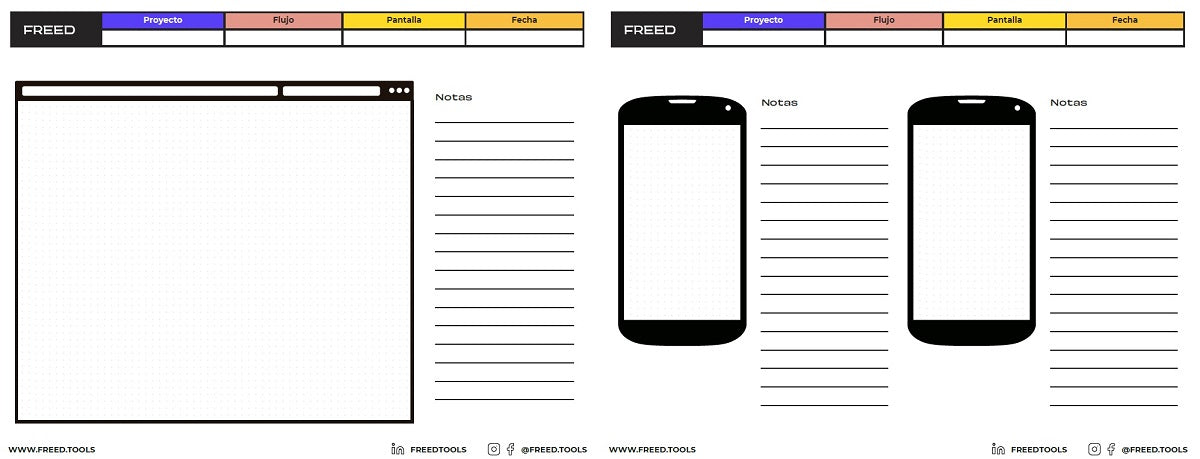
Paper prototype: You can start with a simple wireframe or sketch of the main parts of your design where the important thing is to highlight calls to action, menus, and buttons. It can be in color or black and white. And for you to make your paper prototypes, we share the prototyping pads we use at FREED.
Templates or prototyping pads we use at FREED for paper prototypes.
Presentation or PowerPoint: Here you have many figures and all the colors to imitate the final design your new page or flow will have. Even the transition effects will help you give it a touch of realism.
Realistic pages and flows: If you want to reach a higher level, you can use applications like InVision to assemble your mockups and create flows where clicks on menus and buttons respond like on a real website to take you to the next page.
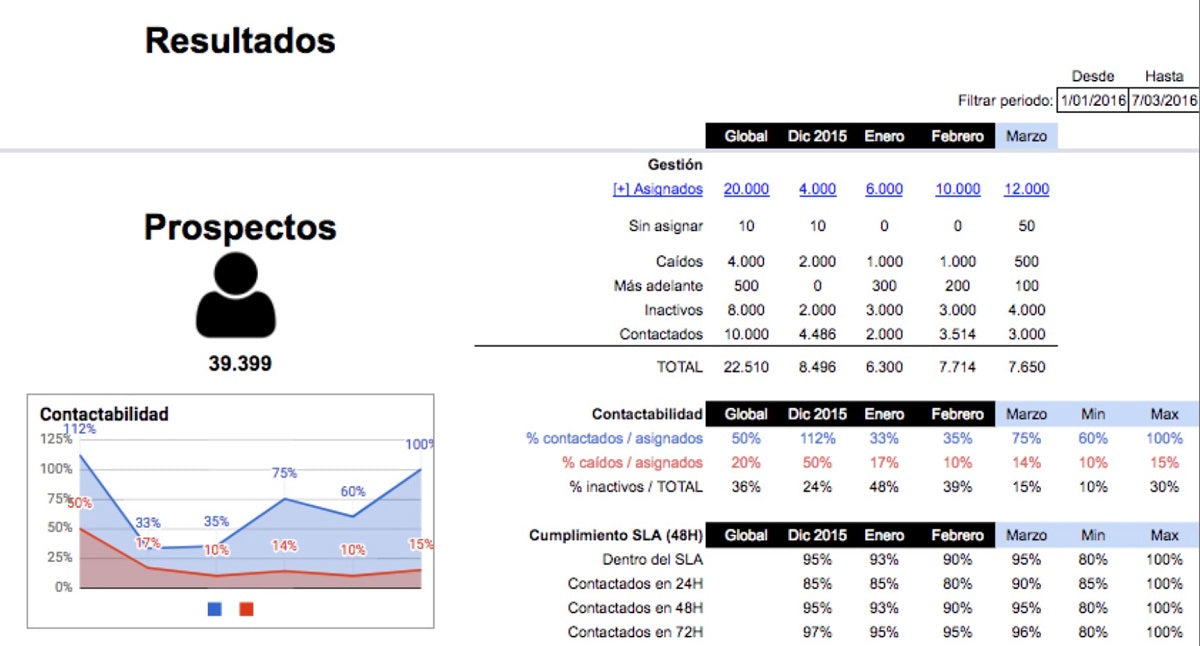
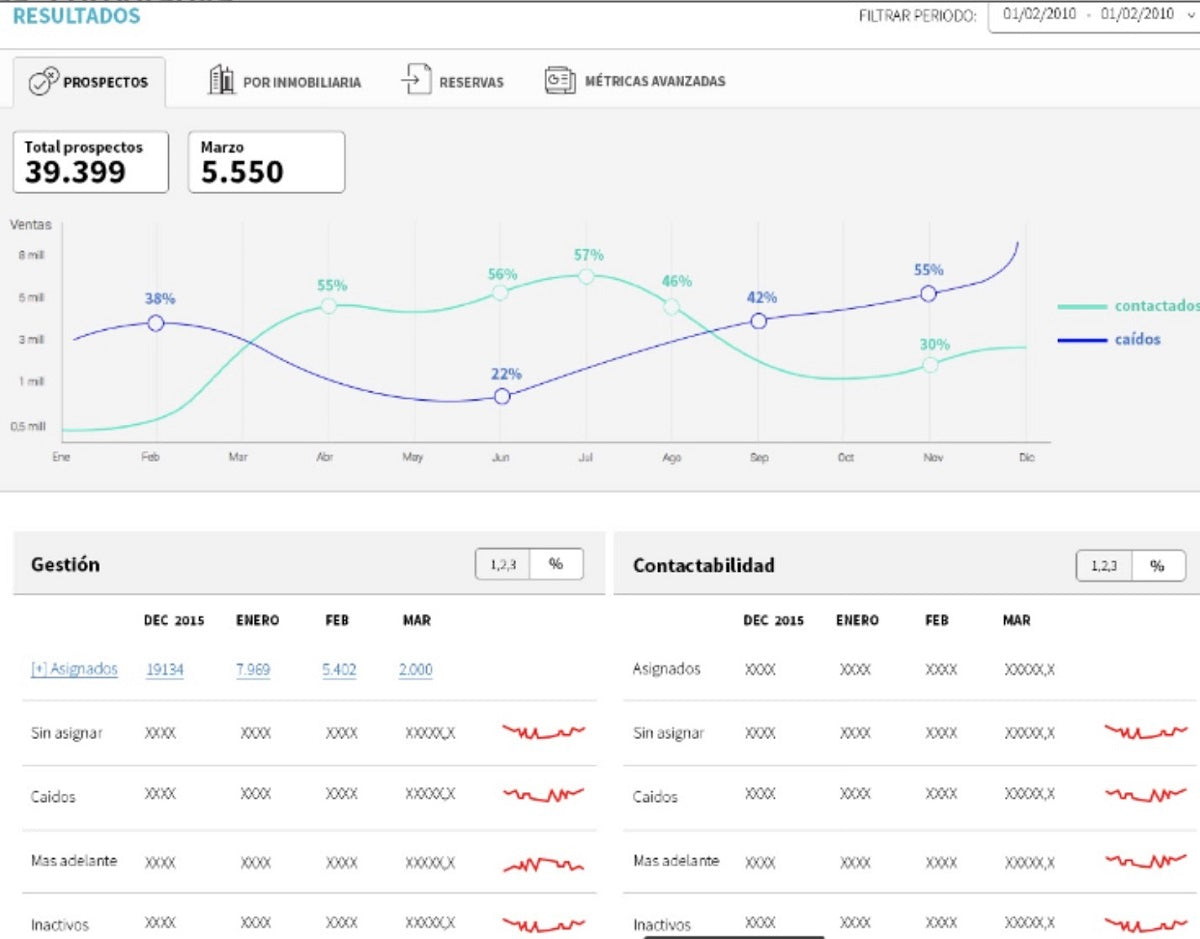
A spreadsheet: For example, if you want to prototype a control panel or dashboard, you can use Excel or a Google Sheet that captures the essential characteristics of your prototype (what data you want to show, how, what is priority, etc.):
Creating this type of low-fidelity prototype requires zero technological resources, but it does require research resources with users, needs assessment, and testing.
Once this low-fidelity prototype is validated, we can go further and dedicate design time to a higher-fidelity prototype (which is not yet developed):
Let's look at another example: suppose you have an idea for a new niche social network. One way to quickly validate the idea is not to start developing a new platform for the social network but to use an existing platform to build a quick prototype and test it. For example, a low-cost prototype is a Facebook or WhatsApp or Slack group, or another similar platform where users are already present.
How much does it cost to test a prototype
Literally, from $0 to millions of dollars. But the most important thing is what we are going to do with the testing results, because if we don't do anything, it's better not to bother.
That's why I always say it's better to invest moderately frequently than a lot and rarely. And, above all, done and launched is better than perfect.
Let's look at some typical prototyping errors
Spending too much (time, money, human resources) on building a prototype.
Thinking that an application fixes everything.
Falling in love with the prototype.
During testing: inducing responses with questions that use the same vocabulary as the interface.
During testing: asking for opinions ("What do you think of...?").
Thinking that a validated prototype is synonymous with:
usage / sales / traffic,
user adoption.
This last point is fundamental. Indeed, a validated prototype is nothing more than that... a validated prototype. If the goal was to validate the concept, you may have indeed validated the concept. That is a step forward in the development of a new product or service, but it is not synonymous with sales, nor with adoption by the target users.
Minimum Viable Product
Let's go one step further in the prototyping process and talk about the Minimum Viable Product.
It is very likely that you will come across the acronym MVP, which stands for Minimum Viable Product, in various articles and resources on prototyping. It is not a final product, whether physical or digital, or even a service, but a prototype that has all the basic features, is functional, and meets the minimum requirements set by the developer themselves to be presented to potential customers.
This concept was popularized by Eric Ries, a startup expert, who defines it as the minimum set of functionalities necessary to learn from the customers most interested in the new product, specifically, from those who most experience the problem that is intended to be solved.
We can also say that it is a partial version of the product that has been built with the idea of quickly and inexpensively discovering what potential customers think of the solution.
So, the MVP must be usable by a person and help achieve the following objectives:
Show the value proposition of the solution.
Attract potential customers in an early stage or early adopters.
Validate hypotheses.
Obtain qualitative metrics and data that allow learning about its use.
Capture the necessary feedback to finalize the product or service.
An interesting story about how a very simple MVP was quickly tested is that of DoorDash, which has become the most important food delivery platform in the United States. After interviewing about 200 small business owners, they launched a very basic website to get customers in Palo Alto. Within half an hour, the first call came in, and the first 200 orders were handled by the founders themselves. This is a good example of the process of validating an idea and learning on the ground.
Trends in prototyping
Recent trends in prototyping and UX Research are influenced by the evolution of technology, user experience (UX) centricity, and the adoption of collaborative and agile work. Here we summarize the main trends you should know.
Prototyping with Artificial Intelligence (AI): AI is transforming the way prototypes are created, allowing repetitive tasks to be automated and thus accelerating the creation process, boosting productivity. This has also made it easier for people with little technical experience to create advanced prototypes today.
Accessibility-centered design: Prototyping with users with disabilities in mind, from the earliest stages of design, is becoming crucial. Best practices include creating prototypes that allow simulating accessible interactions, such as keyboard navigation or screen readers.
Real-time collaborative prototyping: Today there are several tools that allow multiple designers, developers, and stakeholders to work on the same prototype simultaneously, streamlining feedback cycles and improving communication within teams.
Responsive and adaptive prototypes: With the multiplicity of existing devices, prototypes that adapt to different screen sizes have become essential. Creating responsive designs from the outset helps teams visualize how products will look and behave in a variety of contexts (mobile, desktop, and smartwatches).
Low-code/no-code prototyping: This trend is allowing people without programming knowledge to create functional prototypes and MVPs without needing to write code.
Remote and scalable testing: Prototyping tools are now integrated with remote testing platforms, allowing scalable and rapid user testing. Thus, teams can run usability tests with real users remotely, analyzing their behavior without needing to be physically present.
Voice experience prototyping: With the growing popularity of voice devices like Alexa, Google Assistant, or Siri, prototyping tools are beginning to include functionalities to design and test user experiences based on voice commands.
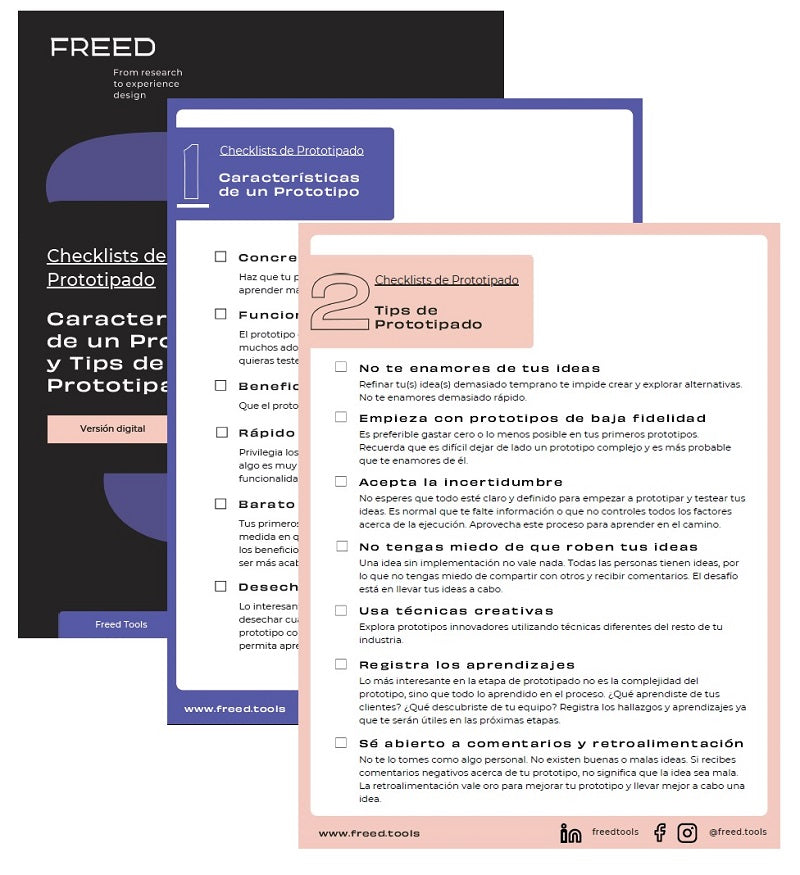
Download your Prototyping Checklists
At FREED, we designed a prototyping checklist with the main features and tips to consider in this process. Download the digital version.
Listen to the podcast
You can download and listen to a summary of this article in podcast format. We made it with Google's NotebookLM.
To run these exercises collaboratively and remotely, at FREED we use digital whiteboards such as Miro, which let you map, cluster and vote with the whole team in real time. (Affiliate link: signing up through it supports FREED at no extra cost to you.)
Share this article
Follow us on YouTube
Nuevas Economías, Research Thinking and FREED AI Studio: conversations and analysis on business, technology and human behavior (in Spanish).
Prototyping services in the healthcare sector and options from a user experience (UX) design perspective. Usability and UX Research in a clinical context.
Co-design brings together diverse profiles to collaboratively create solutions. This article covers roles, session formats, materials, and the real-world limitations of the method.

 By
By