 By
By 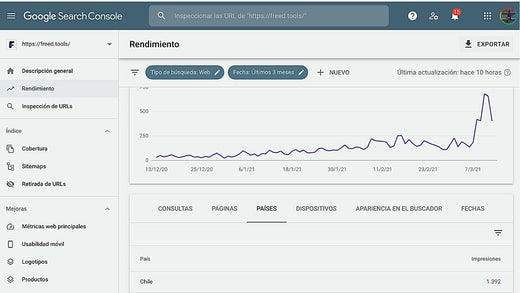
Article updated on: June 7, 2023.
If you want to improve your website's organic ranking (SEO), you will undoubtedly need to rely on the best tools to search for data on keyword competitiveness, perform an audit or diagnosis of your website, identify your competitors, and measure the performance of your SEO actions.Obviously, having access to a grid of platforms is not enough. Expertise is based on much more than knowing how to use SEO tools, but having help will make your work easier, more efficient, and allow you to make data-driven decisions.
Below, we show you some complete SEO suites, specialized tools for specific tasks, and some free Google applications that can help your optimization work and organic traffic generation.
1. Complete SEO suites
The following SEO tools are what we call complete suites because they have multiple functionalities. Eventually, you could choose one of them and cover 80% of the needs of an organic positioning job, at least initially.
What do we look for in a complete suite?
For us, it is essential that a main SEO tool allows:
- Keyword research, that is, understanding how many monthly searches there are on Google in a given country for a given keyword. As most of these tools were created in an Anglo-Saxon context, not all of them index very specific vocabulary in Spanish. Therefore, we recommend you do tests according to your needs. It may be that they have worked for us because they index the terms that interest us.
- Auditing your website: finding 404 and 500 errors, identifying slow-loading pages, detecting those with very little content, and finding duplicate content, among other aspects.
- Optimizing your website: once you audit a website, you need to fix the base and start optimizing from there.
- Analyzing your competition: some talk about "spying" but in reality, there is a lot of public data that these SEO tools allow you to identify, such as what keywords your competitors use to position their content on Google.
- Monitoring your ranking and that of your competition on Google: being in the top three positions on Google can bring you much more traffic than being in position 57. Monitoring your ranking will allow you to know if your optimization strategies are working.
Here are the best SEO tools that we ourselves are using in our SEO audit projects.

1.1 Ahrefs
This is a very complete keyword explorer for conducting your research in various markets and analyzing the potential for traffic generation. In addition to providing crucial data such as local and global search volume (in up to 171 countries), SEO positioning difficulty, and clicks, among many other parameters, it also helps you discover more keywords through suggestions and thus broaden the scope of your research.
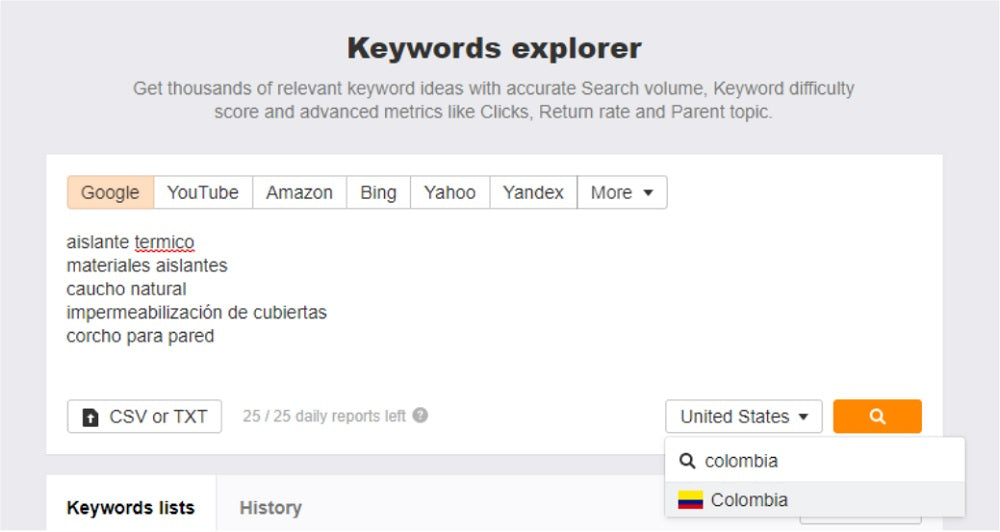
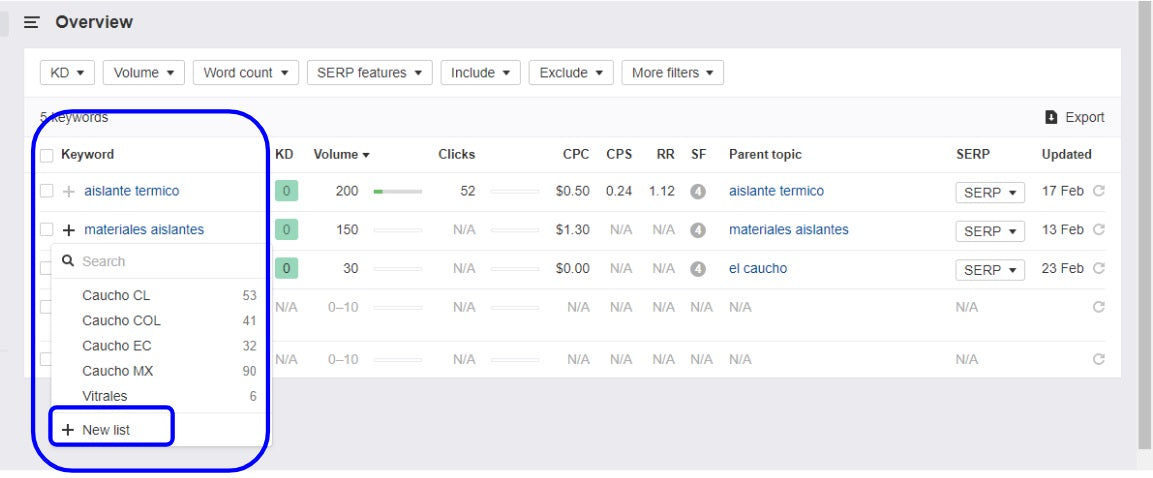
In Keywords Explorer, you can upload several words and even lists in TXT or spreadsheet format to start your search. It provides results such as search volume and the difficulty of positioning the term (KD) on Google, with the possibility of creating lists with the terms you consider relevant.
All these results can be exported to a spreadsheet for working on your keywords.
Our favorite Ahrefs feature: keyword research.
Plans: monthly and annual with 2 free months, from the most basic for small businesses to the most complete for large companies.
Ahrefs website
1.2 MOZ
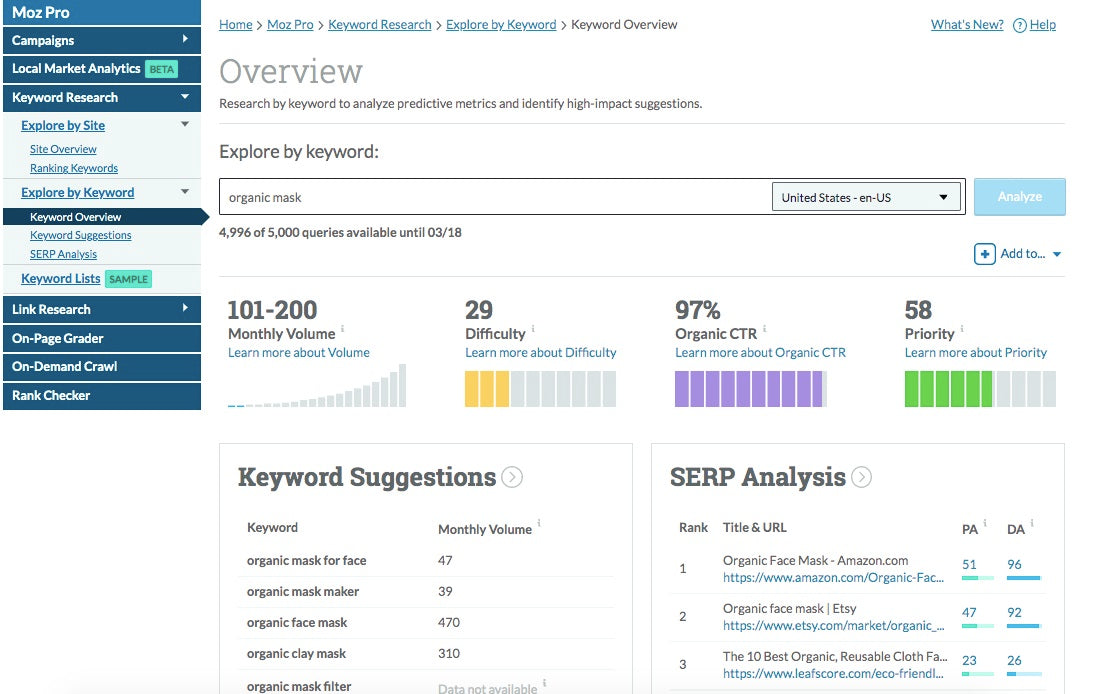
A classic among SEO experts. MOZ has functionalities that allow you to do everything from keyword research to website performance tracking, on-page optimization, keyword tracking, and more.
Our favorite MOZ feature: website monitoring (they actually call them "campaigns").
Plans: the Pro plan has 1 month free trial.
MOZ website
1.3 SEMRUSH
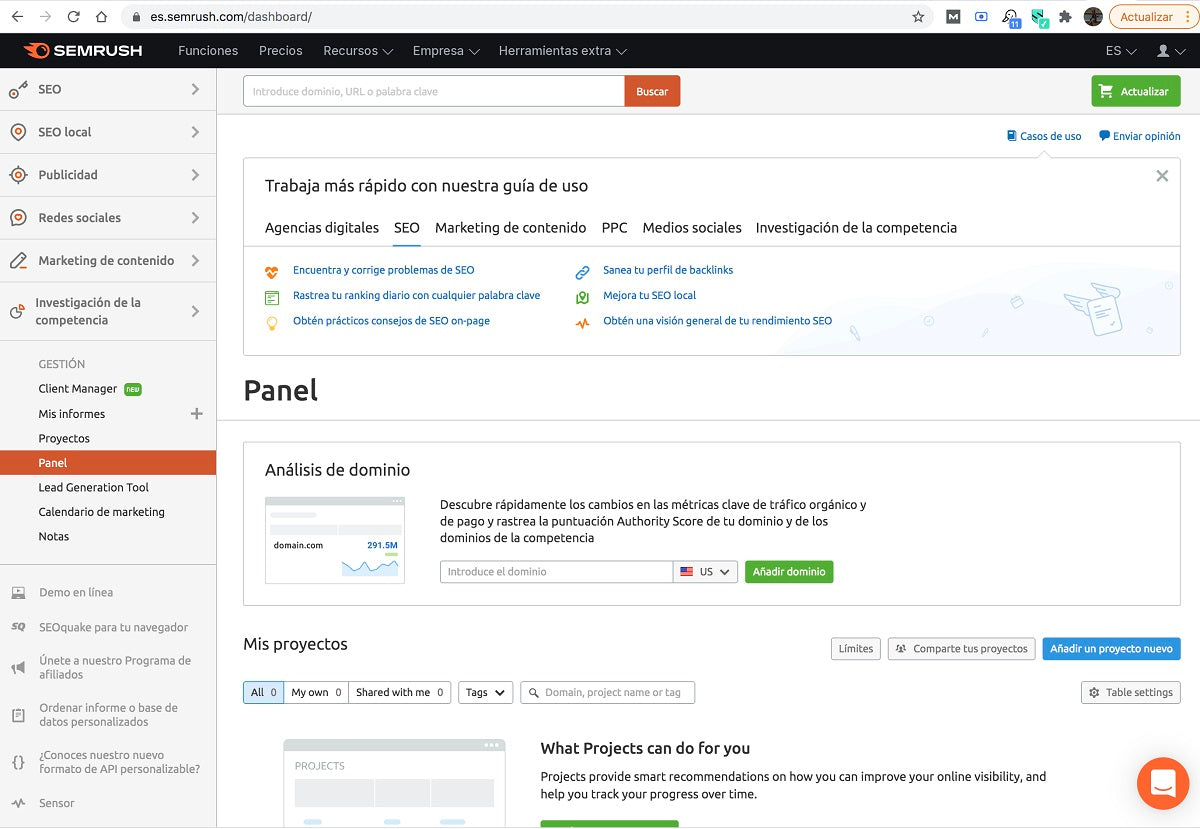
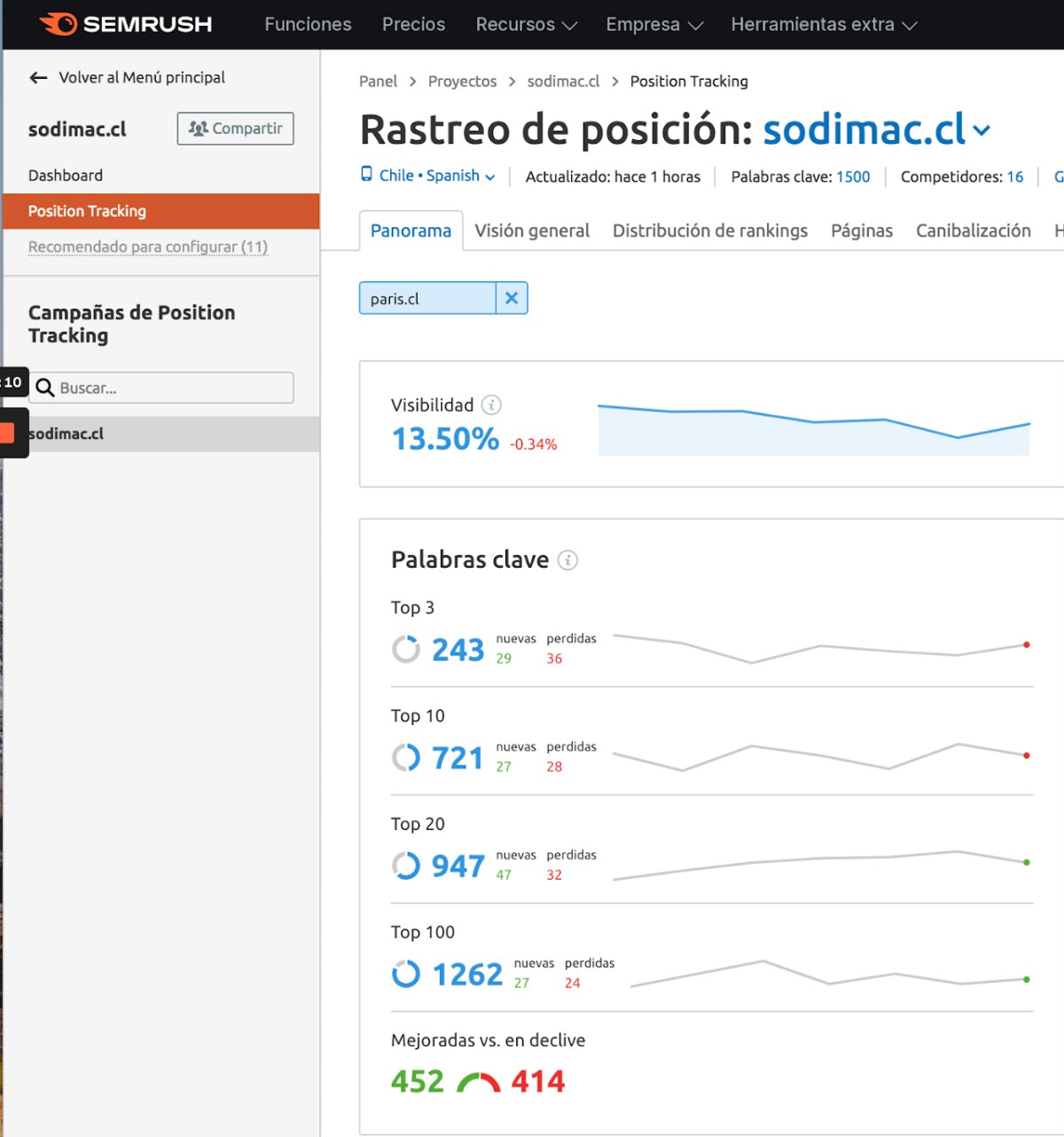
Semrush is also a classic, like MOZ, offering more than 50 metrics. In addition to SEO, it has functions for SEM, that is, for monitoring the results of paid campaigns on Google and social media.
Our favorite SEMRUSH feature: ranking and visibility benchmark.
Plans: they offer a free trial and their variety of plans covers everything from basic needs to functionalities for large companies.
SEMRUSH website
1.4 Ubersuggest
Ubersuggest is one of the simplest and most affordable tools in terms of price. If you are starting in the world of SEO, we recommend choosing tools that are easy to use and understand and that allow for quick learning.
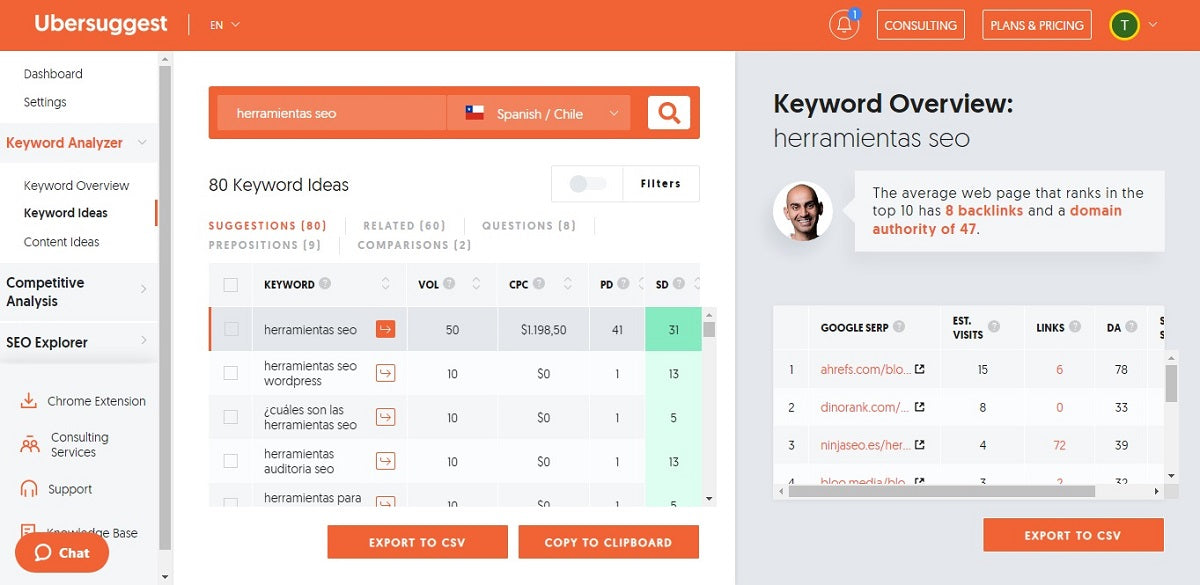
Here you can do keyword research for your content, obtaining data such as monthly search volume and SEO difficulty. In addition, it suggests ideas to broaden your search criteria.
Another very interesting feature is SEO Explorer, where you can see a series of evaluation parameters for your website and thus know what you should correct in terms of loading speed, broken links, duplicate content, etc.
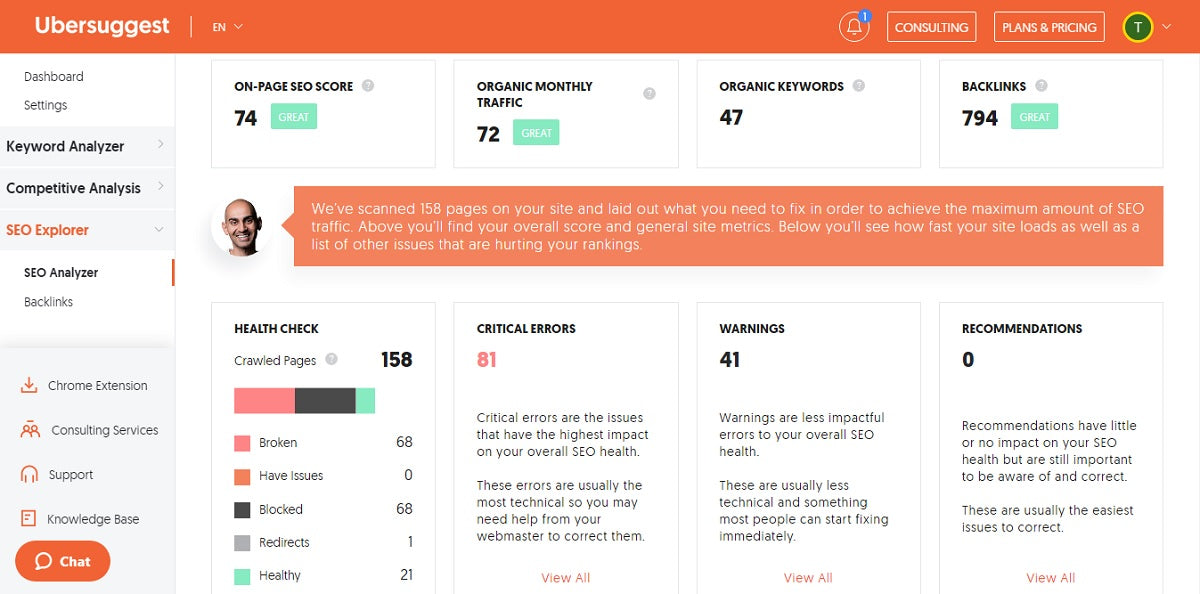
Plans: they have a free version for unlimited time, their plans can be monthly or lifetime and differ by the number of queries, projects, and monitoring you can configure in a period.
Ubersuggest website
2. Specific SEO tools
2.1 Answer the Public
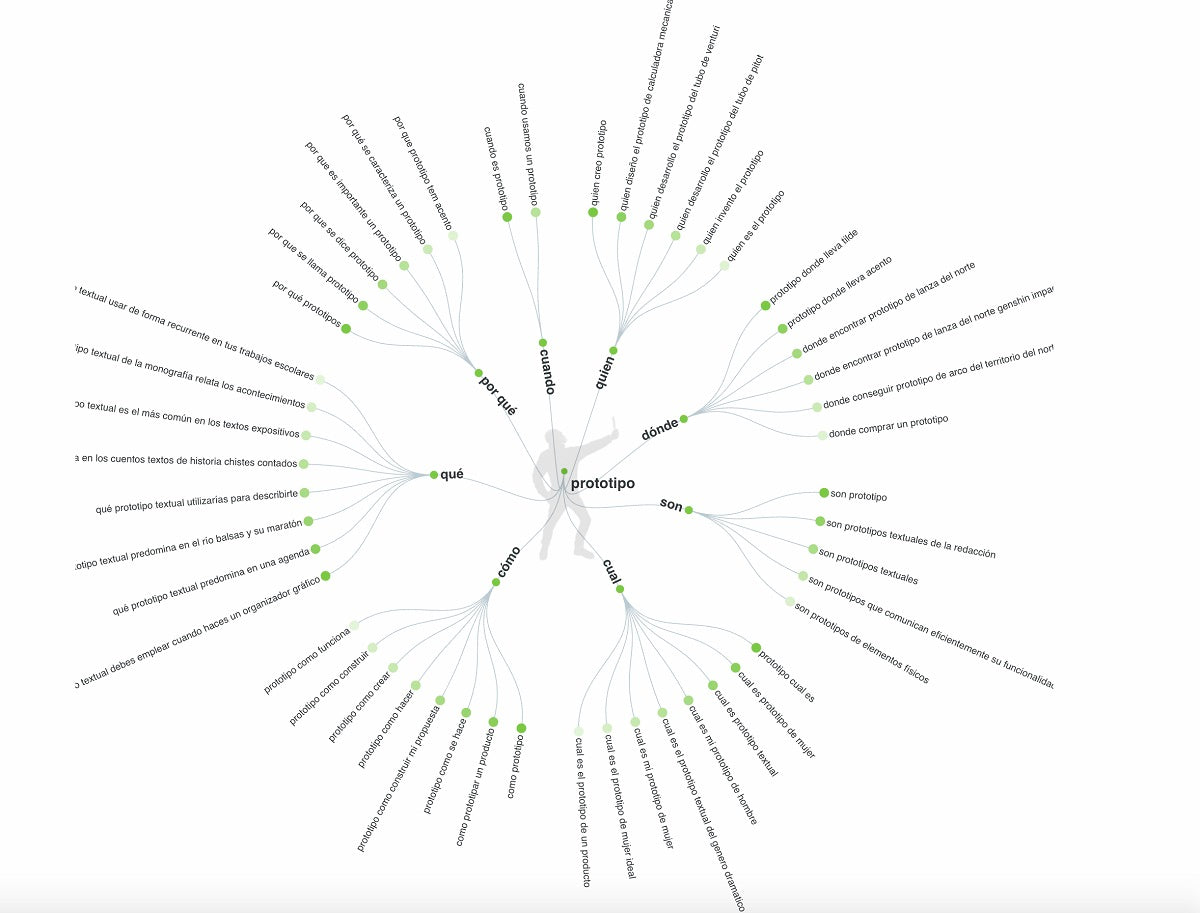
This tool allows you to enter a word, select a country and a language, and receive suggestions for questions people ask in their Google searches.
Answer the Public website
2.2 Copyleaks.com
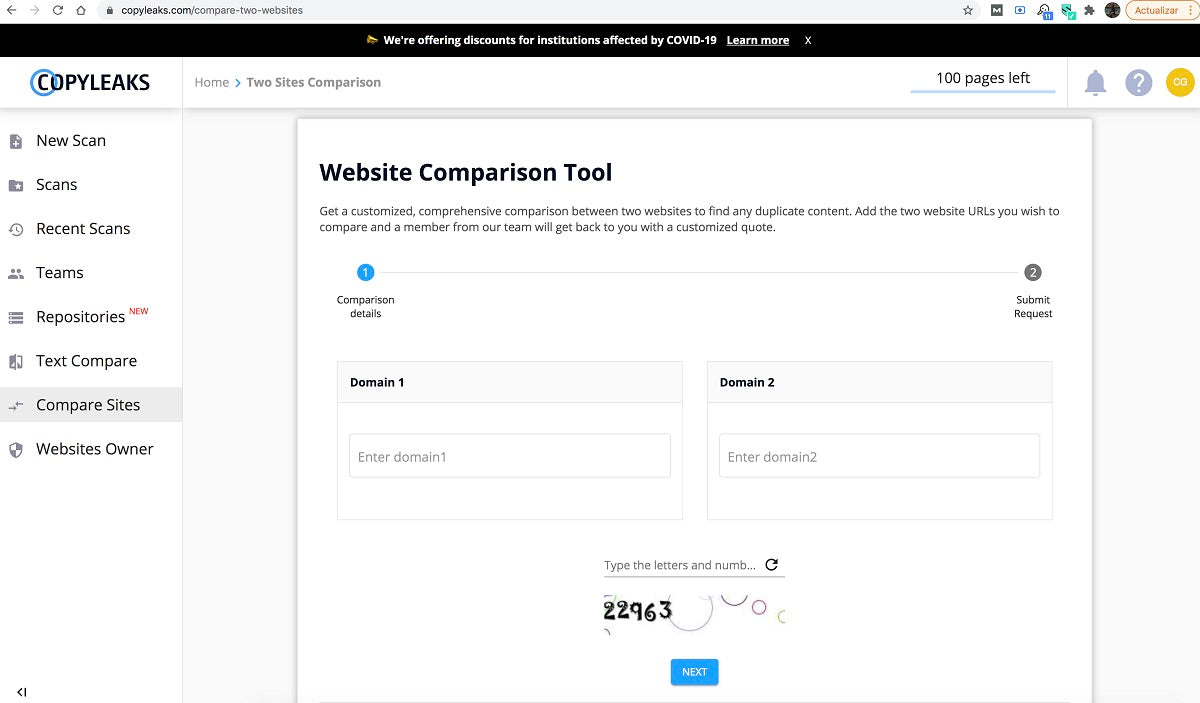
One problem you want to avoid in organic positioning is duplicate content. To properly review our website and ensure it doesn't contain duplicate content, we use Copyleaks.
The interesting thing is that you can even use it if you want to compare two Word documents or two texts before publishing them on the web.
Copyleaks website
2.3 ScreamingFrog
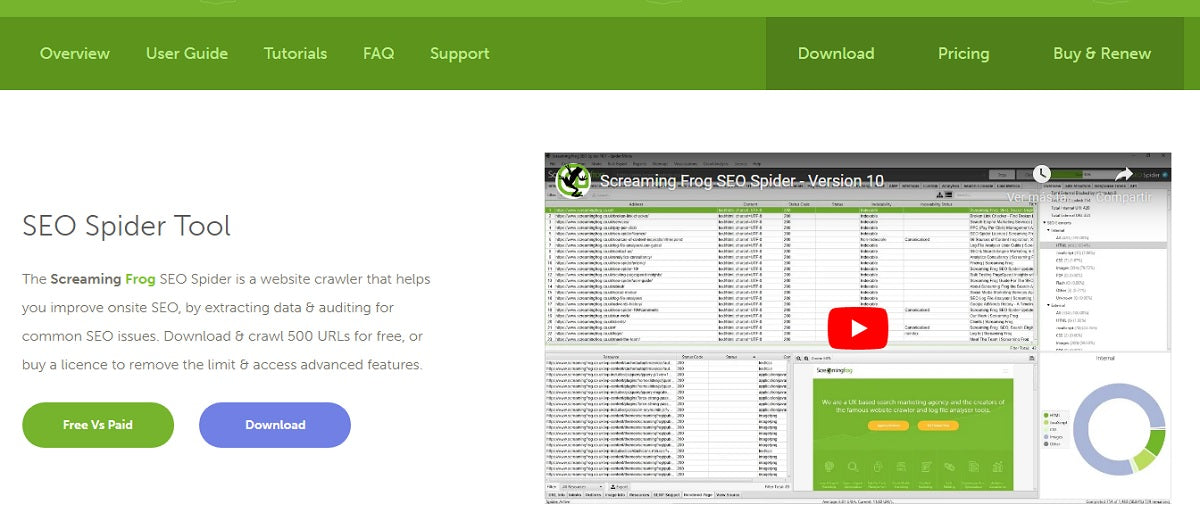
If you want a fairly technical, simple tool that allows you to identify errors on your site (from 404 errors to server errors or others), ScreamingFrog is a good option. It has a free downloadable version.
ScreamingFrog website
2.4 SERP Snippet Optimization Tool
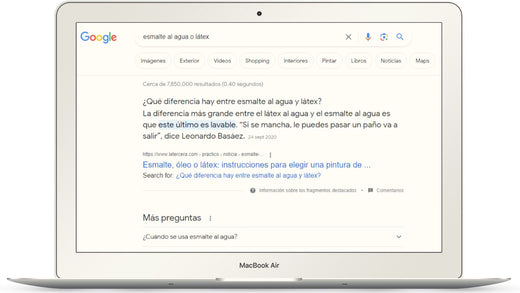
A very simple but essential tool to visualize the SEO content of your pages before publishing them and thus verify that they will be displayed correctly in Google search results. That is, you ensure that your Titles, Meta descriptions, and URLs comply with a character count that allows these contents to be fully seen and read. In addition to being attractive, attention-grabbing, and calling to action, you want people who see your site in Google searches to click.
Google SERP Snippet Optimization Tool website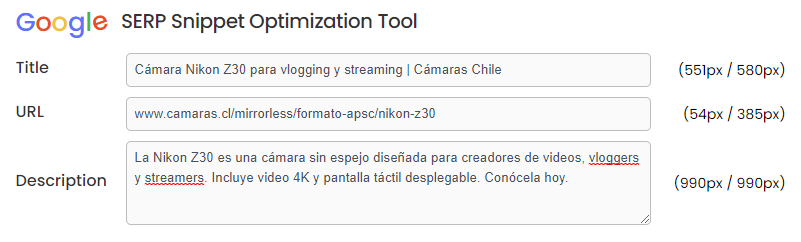
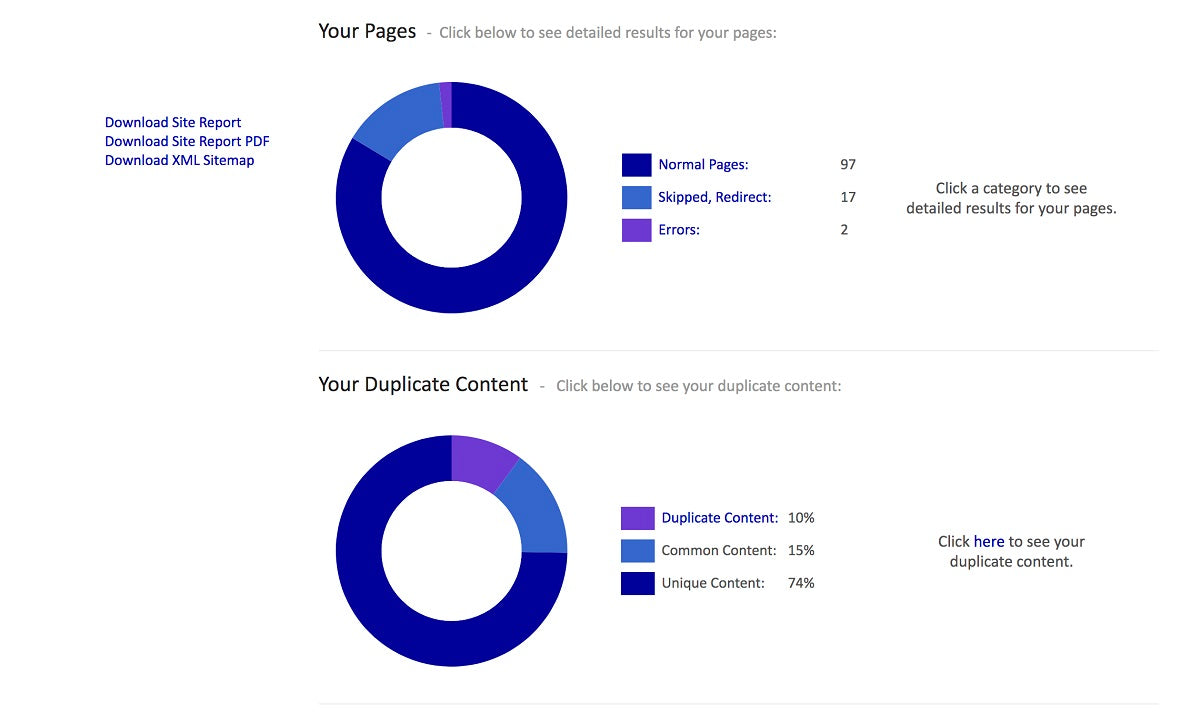
2.5 Siteliner
Duplicate content is a frequent problem in organic positioning. Siteliner will help you estimate the percentage of duplicate content on a site (note, it is very difficult or almost impossible to reach 0%) and tells you which pages have identical or very similar content, so you can correct it.
Siteliner website
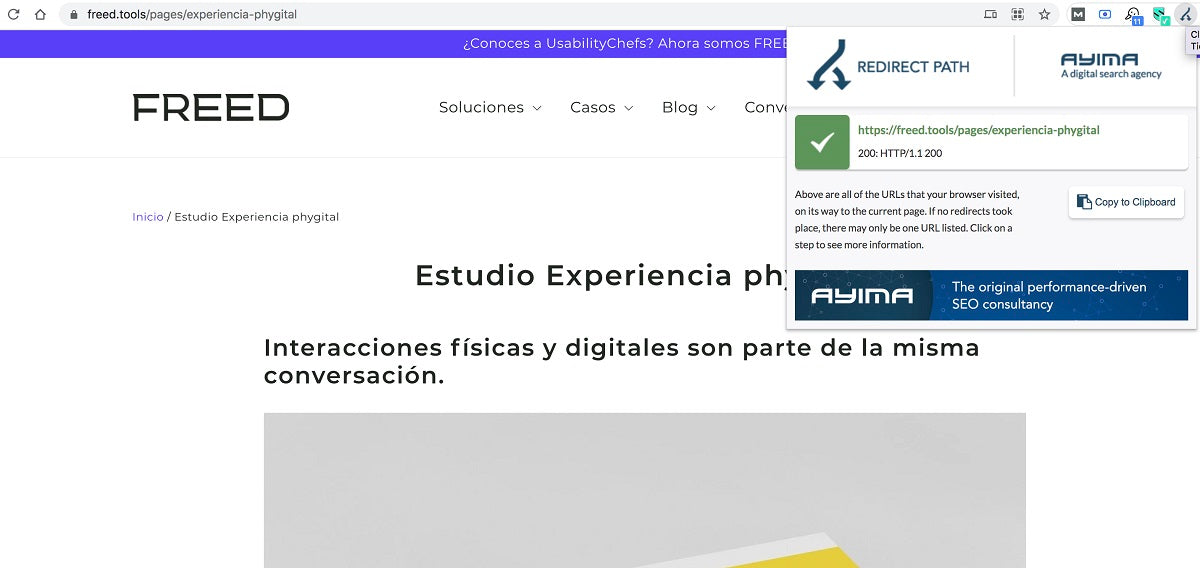
2.6 Redirect Path
It is a Google Chrome add-on with which you can see if a page on a website has a redirect or not.
Redirect Path in Chrome web store
3. Google tools for SEO
If you have a website, you should at least have the following free tools configured: Google Analytics 4 (GA4) and Google Search Console (GSC).
3.1 Google Analytics 4
This is THE tool for monitoring your website's performance. It will allow you to know everything from traffic acquisition sources to user characteristics.
That's why it's the most used by SEO professionals, because it allows us to extract a lot of information about the behavior of people who visit a website and a mobile application.
To access Google Analytics, you must first log in to your Google or Gmail account and then go to https://analytics.google.com.
Actual image of a Google demo account in Analytics 4.
In 2019, the latest evolution of this tool, Google Analytics 4 (GA4), was presented, responding to three current phenomena:
- Customers make more complex (non-linear) purchase journeys,
- because their relationship with companies is multi-platform, and
- they are prioritizing the privacy of their data.
So, the main changes are:
- Companies can monitor in a single GA4 account their users' journeys across one or more websites and one or more mobile applications.
- They can see unified user journeys across different touchpoints.
- To record user actions, it no longer relies exclusively on cookies and does not store IP addresses.
- It focuses on events, no longer on independent sessions, because people interact with a brand from different devices.
Why should you use Google Analytics 4?
- Because platforms for creating websites (WordPress or Shopify, for example) usually provide very limited metrics.
- Because you can get personalized and much more detailed reports on:
- Visited pages.
- Conversions.
- User tracking.
- Performance of user segments.
- Results of marketing campaigns.
- Sessions by traffic sources.
- Bounce rates.
- Session duration.
- And much more.
What can you do with Google Analytics 4?
- It does not record retroactively, therefore, you must measure from the launch of the website to see the impact over time of optimizations, improvements, and marketing campaigns.
- Enable reports to know user characteristics (location, age, and gender) and their interests based on their online purchases and journeys.
- Configure conversion goals and funnel stages to model the path a person must take to achieve a sale. In addition, you will see at which steps of the funnel they enter and exit, detecting possible obstacles to achieving the goal.
- Keep a log where you record the launches of digital marketing campaigns, design or usability changes on a page, incidents, and technical problems that may affect traffic, etc. This way you can provide context to the analysis of reports if you detect impacts on metrics.
- Always read Google Analytics notifications because they can alert you to anomalies that affect the quality of reports and how to remedy them.
- You must always have administrator access to your Google Analytics account even if a third party temporarily manages it.
- Keep the tracking code in case of a site redesign, so as not to lose sight of the changes that occur over time.
Resources
- To learn how to use Google Analytics 4 and understand how it works, we recommend taking Google's free courses.
- Also visit their YouTube channel. Although the videos are in English, you can set up Spanish subtitles.
- In addition, Google provides its GA4 demo accounts with which we can practice.
- And if you have any questions, the Google Help Center guides are always available.
3.2 Google Search Console
This tool is a free Google service for webmasters that allows you to:
- identify indexing errors and
- measure a website's performance in terms of:
- clicks versus impressions,
- click-through-rate (CTR), and
- average position.
In addition to resolving indexing errors, you can even tell Google if you don't want it to index some pages of your site.
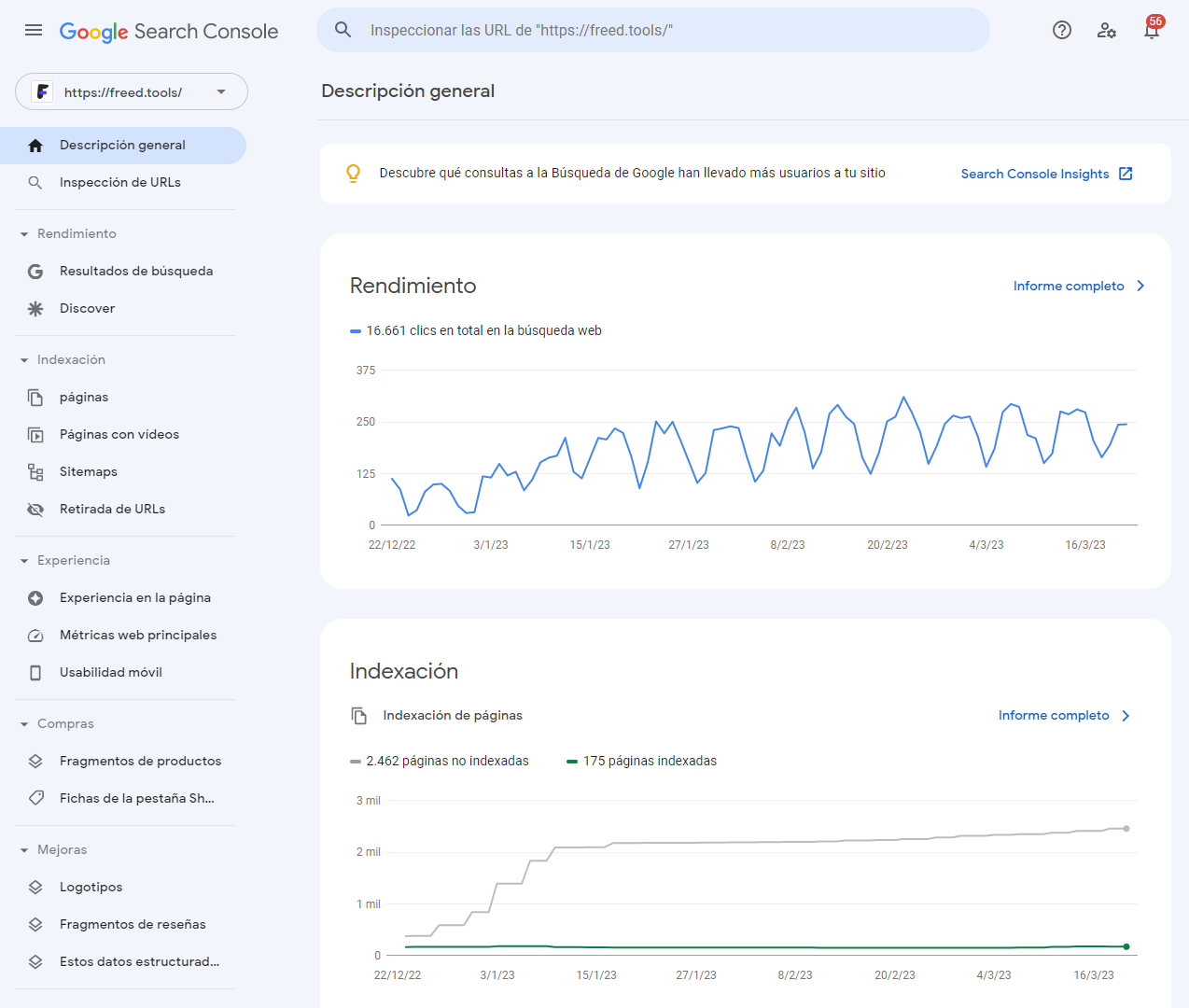
Once GA4 and GSC are configured, make sure they are linked because this will give you access to more data that will allow you to identify, among other things, which keywords or "queries" generate impressions and clicks on Google, as well as the average position of those keywords and the CTR.
Its reports allow you to:
- Confirm that Google found and crawled the website.
- See how often the website's pages appear in Google searches.
- See for which search queries the website is displayed.
- See how often people click on the website's pages.
- Identify which websites are linking to our website.
Likewise, this service alerts when there are problems with indexing, spam, or other anomalies, and allows them to be resolved.
To learn more about this tool, we recommend visiting the Google Help Center guide.
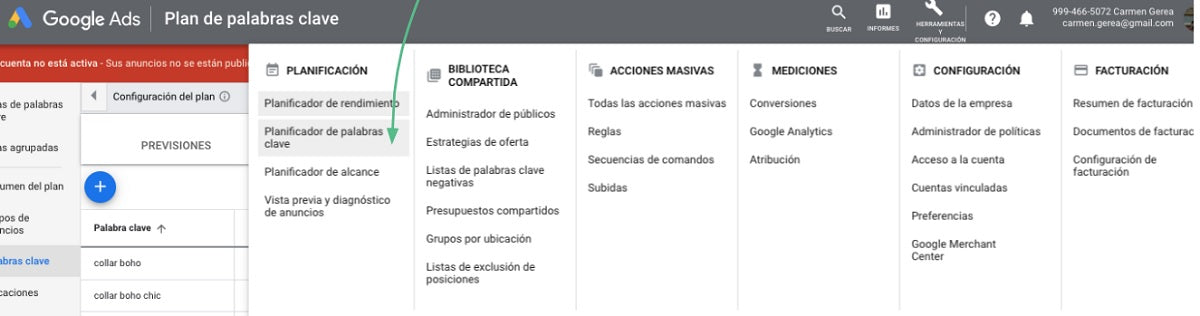
3.3 Google Keyword Planner
This tool is actually a Google Ads feature. To access it, you need to have an account created in Google Ads, but there is no need to run paid campaigns (SEM).
It is relatively limited in the sense that it allows you to obtain less SEO data compared to MOZ, SEMRUSH, Ahrefs, or Ubersuggest. However, for those who are starting in organic positioning, Google Keyword Planner is a good tool to understand the search volume of different terms on Google and the level of competition.
3.4 Google PageSpeed Insights
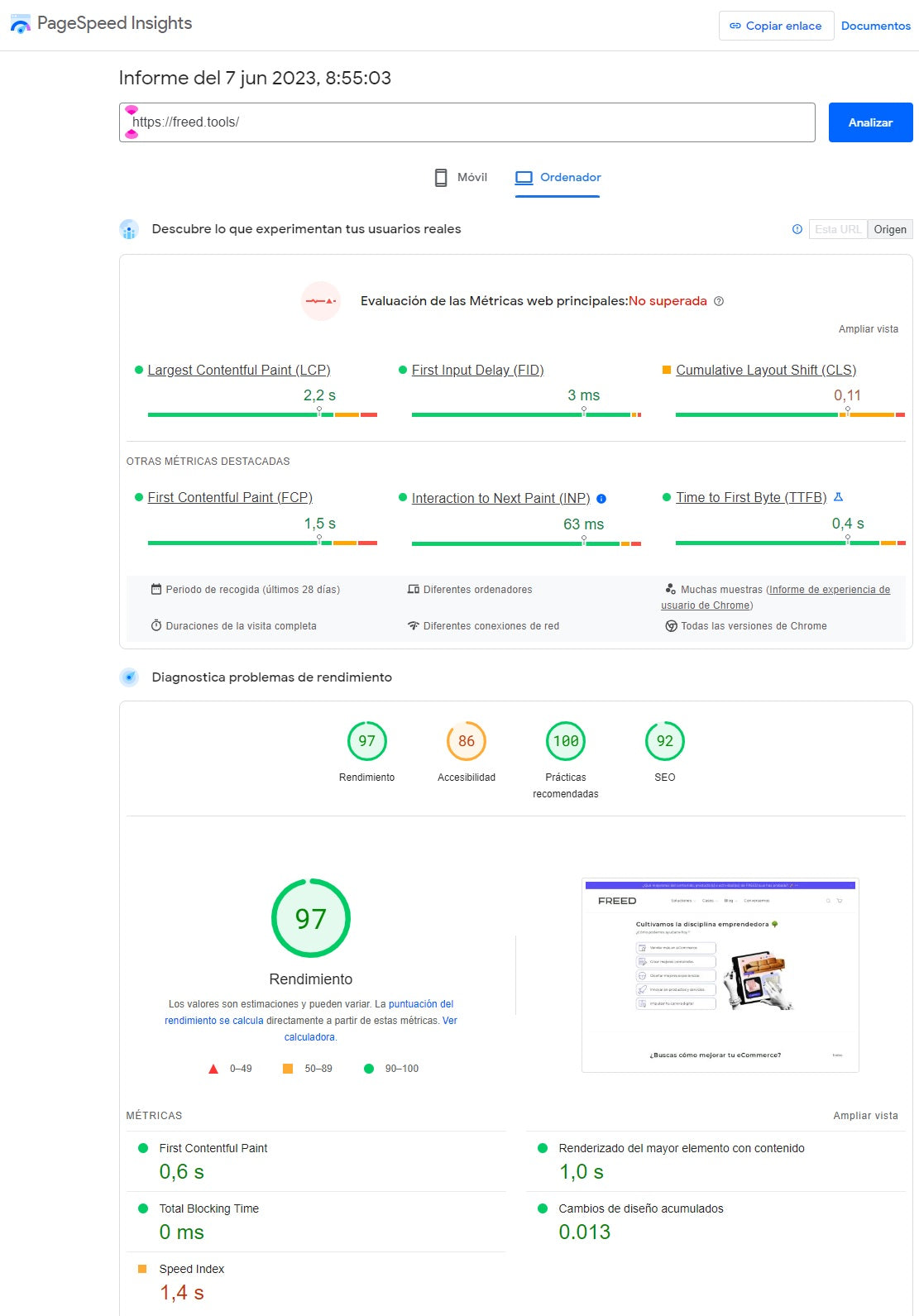
Page load time is a determining factor in organic positioning. This tool allows you to diagnose how fast each of your site's pages loads and identify areas for improvement.
You need to check periodically, page by page, as part of your ongoing organic positioning work. Enter each URL into Google PageSpeed Insights and pay attention to the weight of images, videos, interactive resources, etc.
Google PageSpeed Insights website
Bonus: Google Trends
While this free Google tool is not for monitoring website metrics or conducting keyword research, it is very useful for designing an SEO strategy.
It allows you to identify search trends on Google, so you can know what people in different countries are searching for related to a topic, product, or service:
- Shows trends for your product or service keywords.
- Shows how often a specific search term is entered relative to the total search volume.
- Shows search trends in different languages.
- Provides content ideas through new keywords or key phrases.
It's that simple:
- Enter up to five keywords.
- Select "Worldwide" or a country or city.
- Choose a time range.
- Specify the product category.
- Refine the search type.
- And you get this graph:
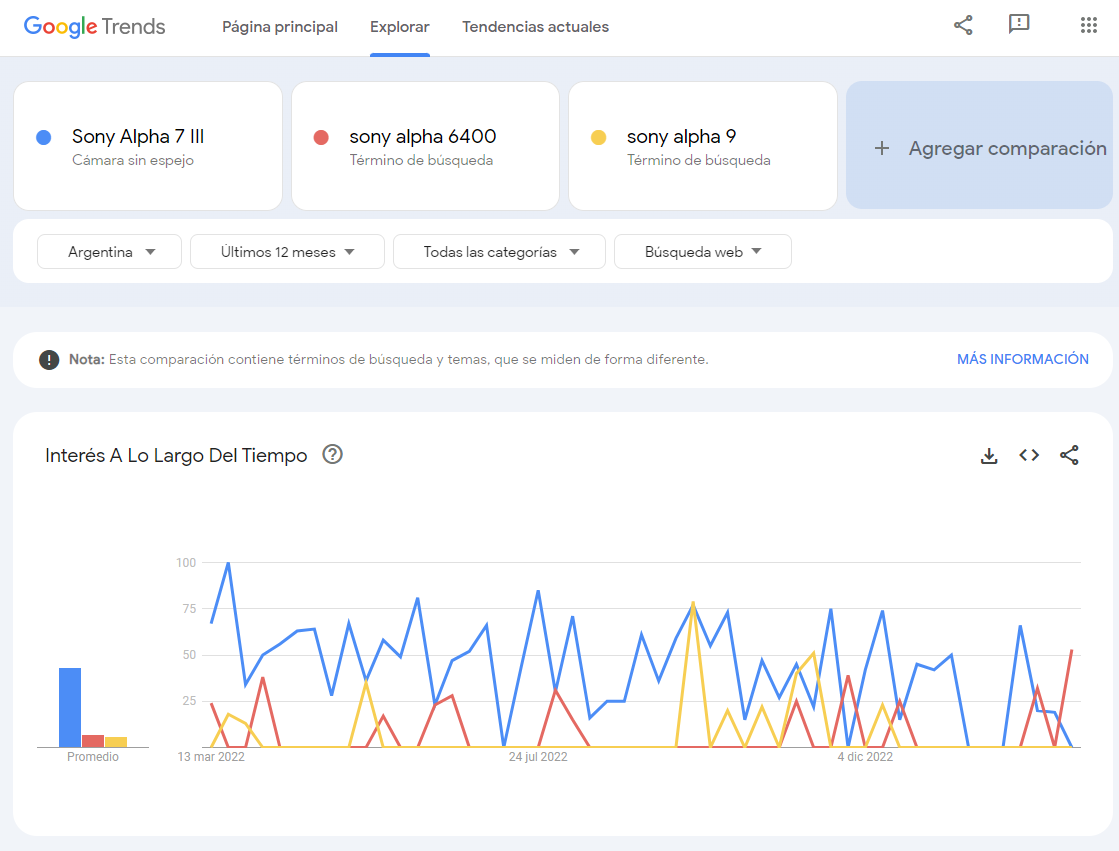
It is interesting to explore the results it provides by subregions, countries, and even cities, as well as suggestions for other search terms.
You can learn a lot from Google Trends, and it's very easy to use.
4. How to choose your SEO tools?
I- Identify your needs
We recommend thinking about details such as:
a. How many sites you need to audit in a period of time.
b. How many sites you need to monitor.
c. How many keywords you need to track.
d. How many keywords the respective tool is indexing (this is because not everything you are interested in researching in Spanish may be indexed in all tools).
e. The number of SEO positioning projects you need to configure (usually each project means a website to monitor and a certain number of keywords).
II. Establish a budget
While several free SEO tools are very useful for both beginners and experts, it is often necessary to pay to access advanced features. We recommend starting with a trial period and quickly establishing whether the tool meets your requirements.
III. Conduct a comparative analysis of functionalities
If you have selected several SEO tools and don't know how to decide, you can do a comparative analysis of functionalities and contextualize with the cost-benefit to make a decision.
Something we frequently do at FREED is to contract tools according to the organic positioning projects we carry out or our internal needs. This way, we have access to a more expensive tool for a period of time, while for others that are more accessible, like Ubersuggest, we take the annual subscription so we don't have to worry.
What is the best SEO tool?
Depending on your needs and the demands of an organic positioning project, one tool may be better than another. We find that each has its strengths and some weaknesses, obviously.
Have you tried any of them? How has your experience been? What other SEO tools do you recommend and why?