Are you looking for potential customers? Here, as part of our e-commerce SEO guide, we'll teach you how to optimize your e-commerce website's product pages using Google SEO techniques. You'll learn how to complement SEO tools with a good choice of keywords, SERP, and photographs.
For your content to be found on Google by people who need to satisfy a need, it's important to understand your products' potential customers. Our recommendation is to start by asking yourself: how and what do people search for on Google?
The following steps will help you answer that question:
-
Keyword research: All your products or services will be related to keywords, and to find the best ones, you need to research the terms people use to search on Google.
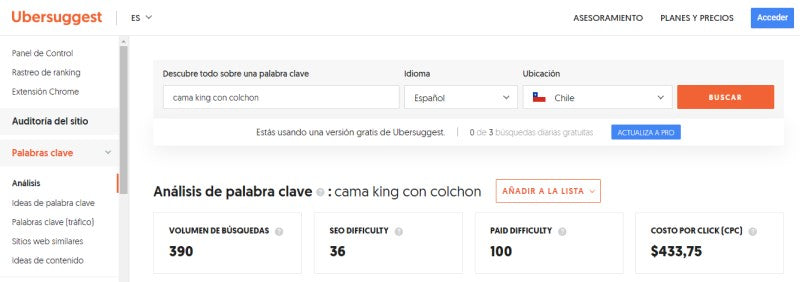
For this, there are various free and paid tools that will show you the number of times potential customers use the words from your research in the Google search engine, according to your chosen location and other related terms that may be useful.
We suggest using Ubersuggest; some of this tool's functions can be used for free. It also has paid plans to access others without search limits.
Remember to create a list of the keywords you find to compare them later and select the most useful ones. You can do this by creating a list in the tool you're using and exporting it to Excel for analysis, or by creating your own list in a spreadsheet.
-
Find your niches: When finding keywords, you should look at their monthly search volumes and SEO competition level. We recommend that this level be below 30 to have more chances to compete and choose non-generic words.
The advice in finding your niche is to find words with low competition but an interesting number of search volumes, better known as long-tail terms. These will give you good Google positioning in weeks or months.
-
Integrate your keywords: Once you have your list created, you can compare the keywords found, analyze them, and choose the most appropriate ones as explained in the previous steps. You will use these words to create your content and thus capture the searches of potential customers. Where do I use them?
- Titles (H1).
- Title, Meta Description, and URL (SERP).
- ALT attribute (this is an element that helps visually impaired people understand the images you publish on your pages, through reading software).
- In the content of your website articles.
- Descriptions of your products or services on your website and marketplaces.
- Publications where you talk about your company.
At this point, we will touch on an aspect that helps with Google positioning and also improves user experience (UX). Remember that you must care about how your product looks on Google but also optimize it on the marketplace where you publish it.
On the one hand, Google gives greater visibility to pages that contain more and better content. Therefore, don't just stick to the list of technical details of your product, which should be there, by the way. The idea is to reach about 600 words.
But it's not about filling it with text and keywords; it must be valuable content that helps the person decide on their purchase. So, you can talk about the materials, colors, benefits, what differentiates it from the competition, what the person will feel when using it, etc.
Remember that a limitation of e-commerce is that the person cannot touch, manipulate, or directly look at the product. Help your potential customer to imagine the experience of holding it in their hands.
-
Write content "naturally", thinking that we are talking to another person. Therefore, it is not necessary to fill it with keywords that we have to force in, but rather to have fluid writing.
- We must ask ourselves if our content solves a need searched on Google by the customer.
If you already have published content, make sure to review each page following the steps described to work on the SEO of each one. Perhaps you are even already using keywords, so review them to make good use of them and ensure your products or services have good Google positioning.
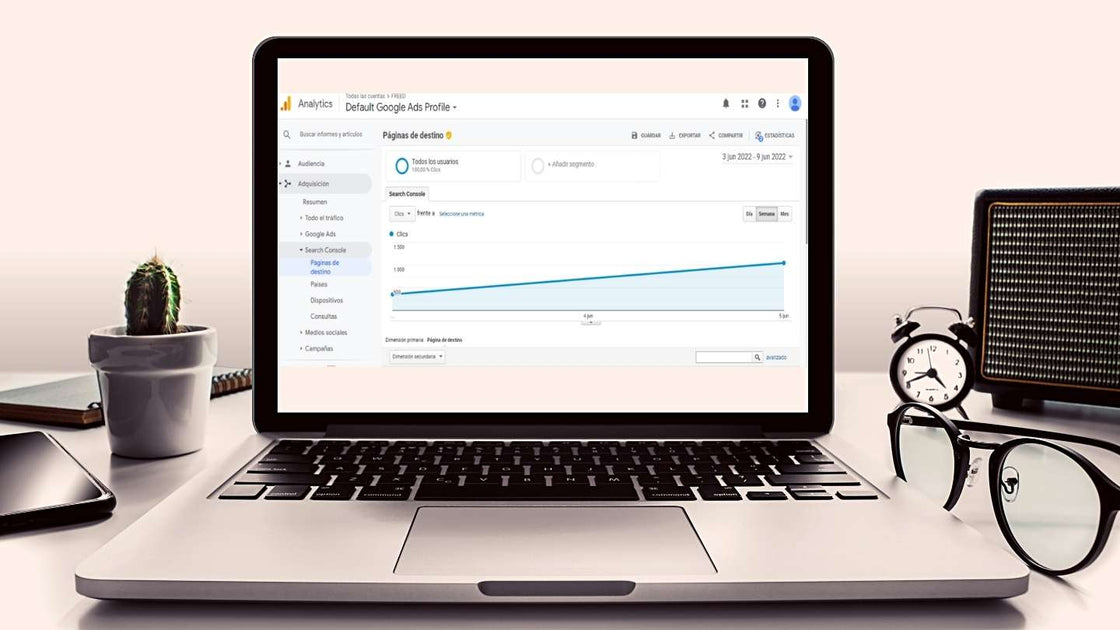
We recommend reviewing this data in the reports provided by Google Analytics and Google Search Console.
What does SERP mean?
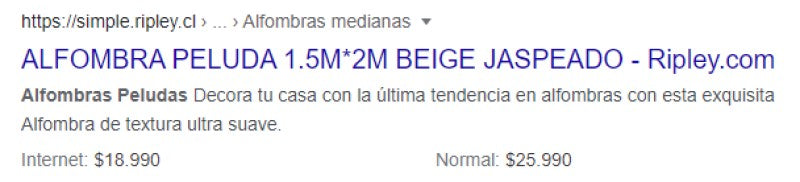
It stands for Search Engine Results Page, meaning the search engine results page. Each result consists of the Title, Meta Description, and URL of the page, used to identify them in search results.
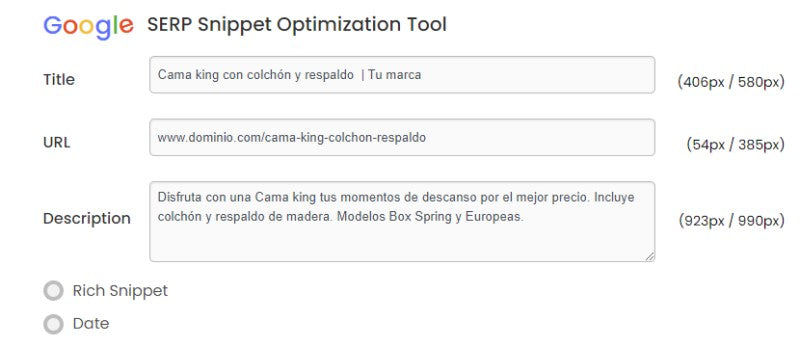
To manage these elements, you need to use your e-commerce website's content management system. However, it's important to note that each one must meet certain characteristics to achieve better Google positioning. You can verify that they are well-developed with the free tool Google SERP Snippet Optimization Tool.
So, how do I optimize these elements?
a) The Title: There are two titles: the one that appears on your product or service page (H1 tag) and the one that appears in the Google search result. The Title is the second one; it must be different, shorter, and is the first thing potential customers know about our website to decide whether to visit it, which is why it's important for it to be eye-catching.
It should contain an explanation of what will be found on the page when clicked and the main keyword, which you will choose during the analysis. It's important that it is simple and does not exceed 580 pixels so that it can be read completely in Google results.
b) Meta Description: Below the Title, we find a brief explanation of the page's content. In it, potential customers should know if it will help answer their query, and your mission is for it to be clear, descriptive, and invite clicks.
Here, it is also recommended to use the main keyword from your research, an extension of less than 990 pixels, and that it is unique for each page.
Remember that Google penalizes misleading descriptions; it is important that the content matches what is found on the page and that if it is a product, you provide some of the most relevant specifications.
c) The URL: The address is one of the most important things on each page of your website; it must contain the main keyword and be as concise as possible.
Remember to separate each word with hyphens (-), keep it simple, avoid strange characters or those outside the English alphabet, and never use prepositions (the, a, in, for, and, of).
There should never be two identical URLs, and Google Search Console is a good tool to prevent site filters or identical products with different versions from being indexed. This will be well-regarded for the Google positioning of your pages.
Example:
It is important to pay attention to the images that accompany products, services, or blogs on the web because they are also indexed by Google, and increasingly, users use the image search tool.
Furthermore, the Google positioning of pages and images are different: if your pages or site are not well-positioned, your images might be. In fact, there is less competition in image positioning, so it is easier to achieve a good spot if SEO requirements for an image are considered.
It is also relevant for users because a high-quality, original photograph that provides information consistent with the accompanying text is more attractive and key to converting into potential customers, as is a website with optimal loading time.
So it's important to ask: is it relevant for my business to be found by images? If you sell products or services, the answer will probably be yes. If your content is more related to a blog, maybe not. In both cases, it is important that the images you publish are optimized so that your website functions well.
- Choose images with good resolution but low weight so that the site loads quickly.
-
Add an ALT attribute. Search engines cannot see images; they only read what they contain, so we must give them a good description that includes the keywords used. For example, "King bed with bedspread and orange cushions."
In addition, this action helps to ensure the accessibility of your page for visually impaired people who use screen readers. This action is also well-regarded in Google positioning.
-
Add a descriptive Title attribute. When you hover over an image, its title is displayed; this should also be descriptive but with fewer words.
- Give a descriptive name before uploading to the site. The default file name is usually IMG56437.jpg; we recommend changing it to one that explains the image content. For example, "orange-king-bed.jpg."
- For your photographs to be displayed completely and in good quality in Google search, they must be at least 1000 px wide.
- Publish different photographs of the same product to show it in more detail. You should name the images as explained above, but add a keyword related to the perspective that differentiates it from the others ("orange-king-bed-front.jpg").
-
It must be of quality. In addition to good resolution, it is important to choose good lighting, background, and originality. A proprietary image is better valued than one that may be repeated on other sites.
-
Maintain proportions. A good choice of image dimensions will give them coherence and make them look organized.
-
Aim for sharing. Google values it when your images are shared by other websites and even on social media; you should try to be named and linked.
If you have content that is indexed and positioned on Google but, for example, it's an out-of-stock product, we recommend not deleting it. It's not good to lose SEO work, but if you have no other option than to delete the page, you should redirect it (301 redirect), or otherwise, the user will see a 404 error.
Remember that Google verifies that your website functions optimally in terms of loading time and usability, and, of course, that it does not throw 404 errors to improve user experience (UX).
Article by Camila Oliva.