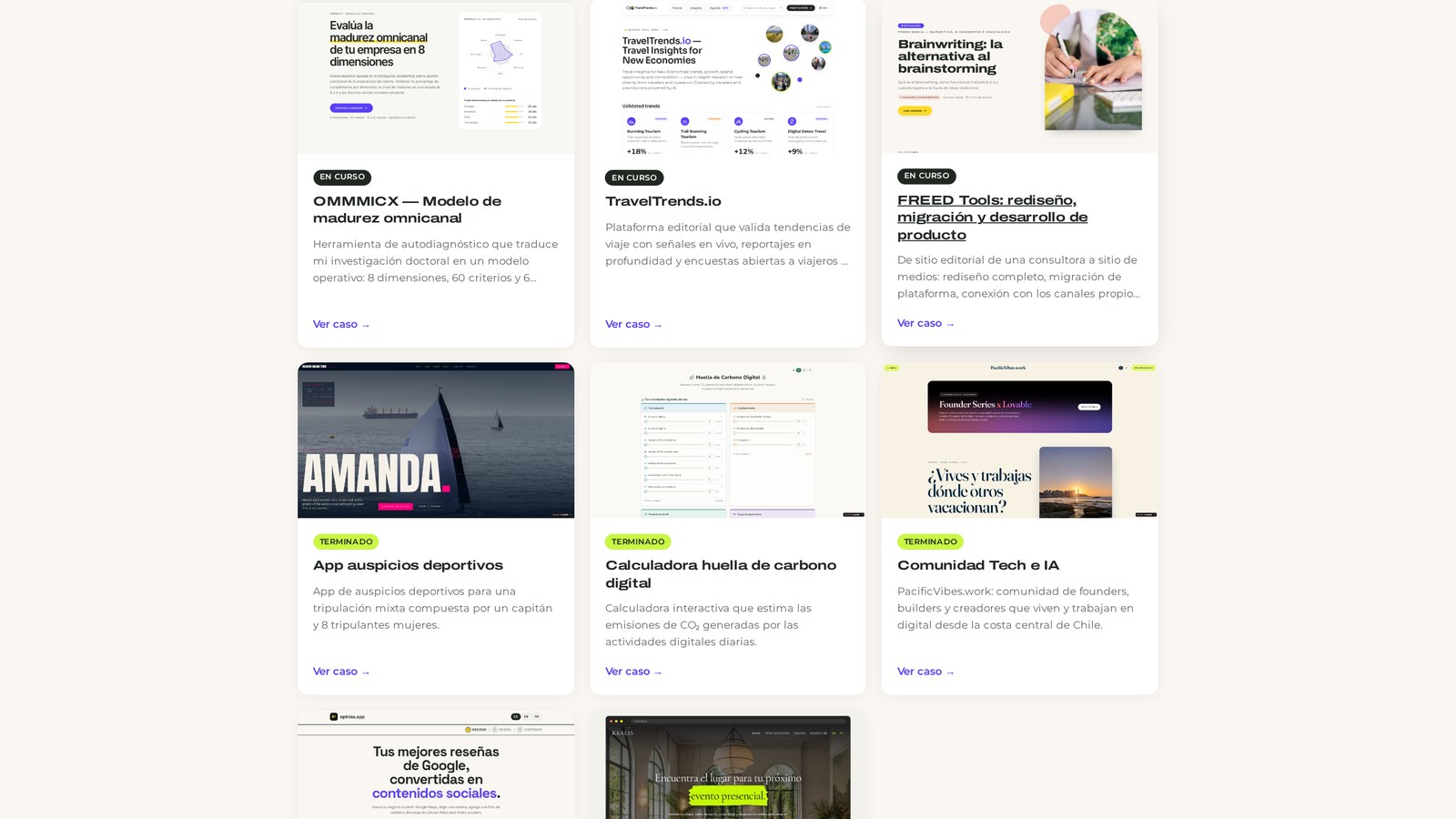
In my 10+ years of independence, I've always had a PDF that I updated every time someone asked for it, stored in a Drive. I've also had business cases published on the web, but always with a delay and always far fewer cases than the number of projects I had completed.
In this article, I'll tell you how I went from that PDF to a published, filterable project portfolio linked to my service pages: what data each case needs, in what order to build it, and the prompts you can copy to create yours in Lovable even if you don't code. It's the same content we worked on in the live session, organized so you can execute it yourself.
Watch the full session
If you prefer to read, continue below. The prompts are at the end of each stage, ready to copy.
Watching it on demand? The workshop room is still open with the complete step-by-step guide, the prompt library, and the community wrap-up. Go to the "From your experience. To your portfolio." workshop room and use the access code I mention in the video. You can progress at your own pace, in the same order as the live session.
Get our analysis in your inbox
Subscribe to the FREED newsletter: applied research, trends and tools.
No spam. Unsubscribe anytime.
What is a project portfolio and how does it differ from a resume
A project portfolio is a catalog of cases where you show, for each project, what the client's challenge was, what solution you delivered, what your role was, and what methods and tools you worked with.
The difference with a resume is fundamental:
A resume describes positions. Where you were, for how long, with what title.
A case describes problems you know how to solve. And that's what people buy from you when you're a consultant, freelancer, small agency, or supplier.
Note, a resume is still necessary. Many consultant selection processes, tenders, and applications explicitly request it. But no one hires a consultancy by reading a list of job titles.
Why a PDF in Drive is no longer enough
Here, three things intersect: how people buy, how search works today, and how your business operates.
How people buy. Recommendations circulate in WhatsApp groups, in direct messages, in a "do you know anyone who knows about this?" My response to that was to send three loose links. The person ended up with a bunch of links and no context.
How search works. A PDF in a private Drive won't be found by Google or cited by an AI model when someone asks it to "recommend an omnichannel consultant." A published case study, with clear text and structure, can appear. Organic content behaves like compound interest: each case you publish continues to work months later, while a PDF only exists when you send it.
How your business operates. A live portfolio saves you manual work. I used to ask for testimonials via a mini-survey, request permission to publish them, and then upload them manually. Today, evaluations arrive directly at the case file, with moderation, and display automatically.
What information does each case need
This is the structure I use in my case files. Adapt it, but don't reduce it to a title and a pretty image:
The challenge. What the project was about and what problem the client had.
The solution. How you structured the response to that challenge. This is where your methodology speaks.
Your role. Essential if you work with teams, agencies, or consortia. A project never revolves around you: make it clear what you did and who the other actors were.
Tools and methods. If you work with Shopify and not Magento, say so. This data filters out clients who aren't a good fit and attracts those who are.
Cataloging data. Year, status (ongoing or completed), industry, country, client type, market (B2B, B2C).
Evidence. Photos, screenshots, public project artifacts.
Evaluations. Testimonials from participants, moderated before publication.
Cataloging data seems like an administrative detail. It's what later allows you to filter and segment, and the devil is in the details: if you don't capture it from the beginning, you'll have to reconstruct it project by project.
Organize your data before opening the tool
This is the bottleneck, and it has nothing to do with technology. The agent can build your case files in minutes if you provide raw data. If you don't have it, no tool will save you.
Before writing the first prompt, gather:
Your professional description: what you do, who you sell to, how you work.
Two or three cases with the challenge, solution, and your role. You don't need twenty to start.
Your data source, if it exists. I've been maintaining a spreadsheet for years with client, country, year, industry, client type, tools, methods, and project stage. That spreadsheet was the input that allowed almost complete case files to be generated.
Your evidence: photos, screenshots, public reports, published infographics.
Three practical things before continuing:
If your material is in PDF, convert it to Markdown with a free converter. It's plain text, much lighter, and assistants process it better.
Review what you can share. There is sensitive client and project data that should not be disclosed. Use public references and respect brand guidelines.
If you need to use material with sensitive information, anonymize it before uploading it to any platform.
We don't know what we don't know about our own files until we go looking for them. In my case, the spreadsheet was organized, but the photos were scattered in Drive folders and I had to review them one by one.
The prompts to extract and structure your cases
These three prompts are the same ones we used in the workshop room, before opening Lovable. They work with any conversational assistant.
Extract cases from your experience
Extract cases from your experience
You are an editor specializing in professional portfolios. I will give you a list of projects I have completed. For each one, extract:
- Client's problem or need.
- What I specifically did (activities, not adjectives).
- My role and who I worked with.
- Observable result or change after my intervention.
- What makes it interesting for someone who wants to hire me.
If information is missing, ask me before inventing. Do not use marketing language.
My projects:
[PASTE YOUR LIST HERE]
Structure a case for publication
Structure a case for publication
Convert the following project into a case study for my portfolio, with this structure:
1. Title (maximum 65 characters, no exaggerated promises).
2. One-line summary.
3. Context: who the client was (anonymized if applicable) and what was going wrong.
4. Design: the approach and methods I used, step by step.
5. My role: what I did and what the team or client did.
6. Impact: observable results, in ranges or percentages if figures are sensitive.
7. Project data: service, challenge, industry, year, duration.
8. SEO metadata: title 50 to 60 characters and meta description 120 to 155.
Write in neutral Spanish, in the first person, without superlatives.
Project:
[PASTE YOUR PROJECT HERE]
How to build it in Lovable, step by step
I work with Lovable because it allows me to iterate quickly on something I'm going to maintain myself. Full transparency: I'm a Lovable ambassador. I was a super user long before I became an ambassador, though.
Two rules before starting:
Use plan mode, not build mode. Build mode starts building immediately. Plan mode asks you questions, and those questions guide the agent to help you better.
Start small to get big. Don't ask for the complete portfolio with backend and admin in the first prompt. You save credits and avoid double work, yours and the agent's.
There's a less obvious reason to go in stages. When you give the agent your entire life story in the first prompt, they build things you haven't seen yet and therefore haven't been able to evaluate. It's like working with a designer or an agency: there's an intermediate stage where you provide the brief and the other party delivers in parts. You haven't yet confronted your criteria with the agent's. Give it time.
The order I recommend, if you already have a website with your professional services:
Prompt 1: base structure of the project portfolio
Create the catalog path with case cards and some sample cases to see the design before uploading your content.
Prompt 1: base structure of the project portfolio
Create a professional portfolio website with a /cases path that displays a catalog of cases in cards. Each case has: title, client or generic client description, service, challenge, industry, year, one-line summary, and image. Load 6 sample cases to see the design. Editorial, clean design, with good typography and light mode.
Prompt 2: the complete case file
Define the detail template with challenge, solution, role, tools, cataloging data, and space for evidence.
Prompt 2: the complete case file
Create the /cases/[slug] path with an editorial layout: hero with image or illustration, numbered sections Context / Design / My role, optional Impact or Results, gallery, optional testimonial, references, project data, and a CTA to schedule a 30-minute session. Only one h1 per page.
Prompt 3: uploading your projects from a spreadsheet or document
Upload your data source and generate the case files in bulk, respecting the structure you've already approved.
Prompt 3: uploading your projects from a spreadsheet or document
I am attaching my spreadsheet (or document) with my projects. Each row is a case and includes client, country, year, industry, client type, service, tools, methods, and project stage.
Generate a case file for each row using exactly the /cases/[slug] structure we already approved: do not change the layout or invent new sections.
Rules:
1. Do not invent data: if information is missing, leave the field blank and mark it in a pending list at the end.
2. Anonymize the client when the row indicates it.
3. Write in neutral Spanish, in the first person, without superlatives.
4. Leave all case files as unpublished until I review them.
When finished, show me a table with the case, completed fields, and missing fields.
Prompt 4: filters and navigation by service type, challenge, and industry
In my portfolio, I filter by service type (consulting, coaching, training, research, speaker, sponsorship, academic), by challenge type (AI adoption, experience design, e-commerce, brand positioning, SEO), and by industry and market.
Prompt 4: filters and navigation by service type, challenge, and industry
Add filters to the /cases catalog by service, challenge, and industry, plus a text search. Filters combine with each other, show the number of results, and can be cleared with a button. On mobile, filters are in a collapsible panel.
Prompt 5: segmented landing page by specialty
Generate a page that gathers only cases from a specific industry or challenge, with copy oriented to that search intent.
Prompt 5: segmented landing page by specialty
Create a service landing page at /services/[slug] that gathers only cases from a specific challenge or industry. Structure: a single h1 with the search intent, a paragraph that immediately answers what I solve and for whom, a focus section with my methodology, the grid of cases filtered by that tag, frequently asked questions, and a CTA to schedule 30 minutes.
Add custom metadata (title 50 to 60 characters, meta description 120 to 155, og and twitter card) and JSON-LD Service + FAQPage.
Link from each case file to the corresponding landing page and from the landing page to each case.
Prompt 6: moderated evaluations and testimonials
Allow people who participated in the project to leave their evaluation, with moderation prior to publication.
Prompt 6: moderated evaluations and testimonials
Add evaluations to each case file. A short form asks for name, position, organization, email (not published), rating from 1 to 5, and comment.
Evaluations are saved in the database with pending status and are not displayed until I approve them from the private panel.
In the case file, show the average and approved testimonials. Protect the form against automated submissions and validate all fields.
Prompt 7: administration panel (CMS)
This comes at the end. I'll explain why below.
Prompt 7: administration panel (CMS)
Create a protected route /myapp/bulk where I can see all cases in a table, edit key fields in JSON, change the public visibility of each case with a Visible/Disabled button, filter by status, and save changes. Only accessible to administrators.
Extra prompt: the schedule button
Extra prompt: the schedule button
Integrate a button to schedule 30-minute sessions on /cases/[slug] and /contact. Use Google Calendar: search for availability only in the next 3 calendar days, between 09:00 and 20:00 Chile time, create the event with automatic video call link, and save the source page. Show a simple calendar with available times.
Don't have an account yet? You can start with the free version and build the first version of your portfolio today. Create my Lovable account →
Evidence: own photos before stock or AI
If you don't tell the agent anything, it will invent a photo of a woman who isn't you. That's why I provide my photo, my logo, and my brand colors.
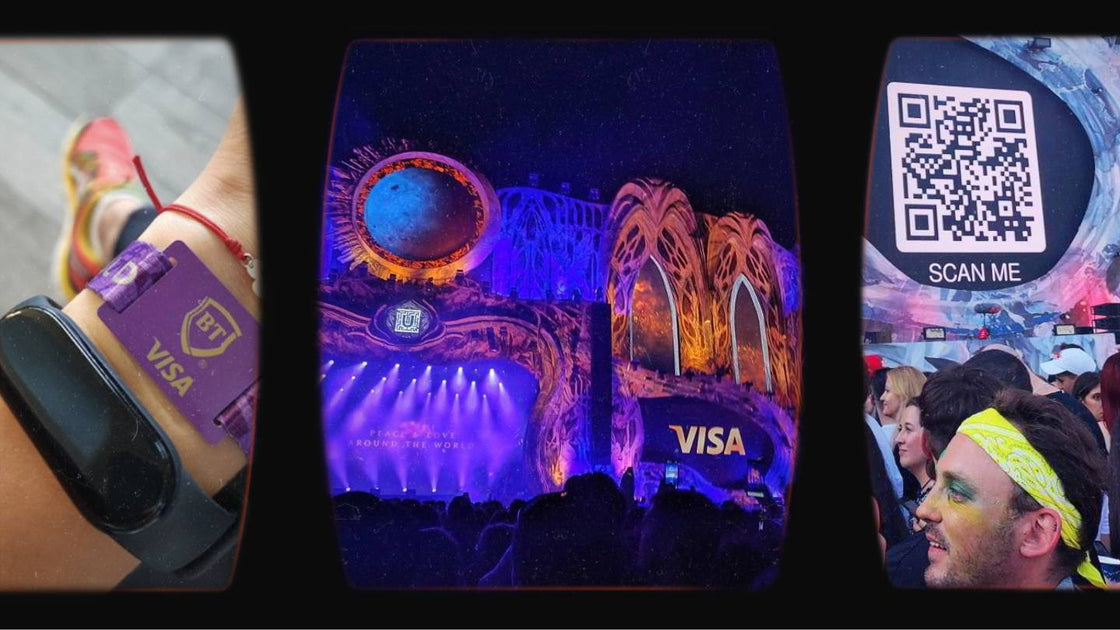
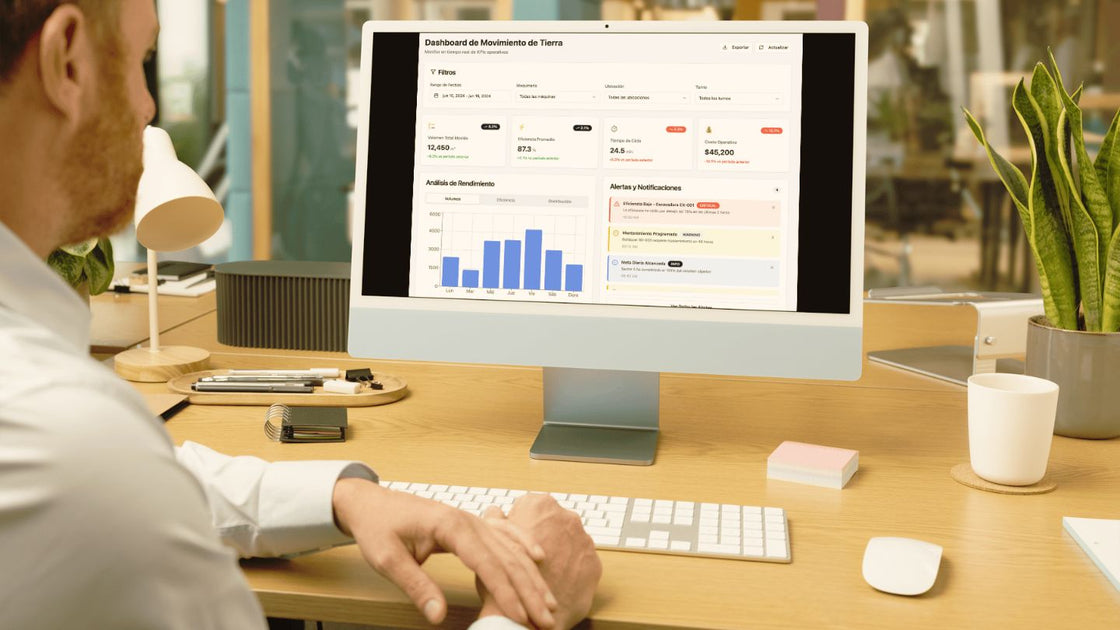
The same goes for project evidence, and here my position is quite firm: if you ran a design thinking workshop and have somewhat homemade photos, use those photos. A good quality screenshot of the Miro board where you gave the workshop communicates more than a stock image. A public infographic of the project, a published report, a photo of the stage where you presented: all of that is material that communicates what you are doing and how you can help.
Does that mean you should never use generated images? It depends. When I don't have a specific photo of a project, I use graphic forms specific to the brand. What I avoid is simulating a situation that didn't happen.
The admin comes later, not earlier
I built myself a CMS to manage my cases: edit fields, see what information I'm missing, deactivate case files that aren't ready yet, organize, correct countries in multi-country projects. It helps me because I'm one of those people who needs to see the whole table.
But don't build it at the beginning. It would be a waste of time, energy, and credits before you know what your case files look like and what data you're going to display. First validate the front-end, then automate management.
From loose cases to segmented landing pages
Here, for me, is the value leap. Having published and structured cases enables something that a PDF will never allow: creating specific pages by problem type.
If I have several e-commerce projects, I can create a strategic consulting page for e-commerce that speaks to someone looking for exactly that, with my cases linked below. And vice versa: from the service page, I link to the cases where I applied that methodology, and from each case, to the option to schedule a session.
That changes the commercial conversation. Instead of sending three loose links via WhatsApp, you send a page that already answers for you.
An honest nuance: this works if you have volume and variety. If you have three cases, publish them well and skip segmentation for now. Filters come when there's something to filter.
"I don't have enough projects"
That's what I hear most often, and it's almost never true. These count:
Your own projects you developed, even if they are internal tools or side projects.
Startups you launched that didn't work out. That learning built your expertise.
Academic projects, classes, mentoring, workshops.
Sponsorships and collaborations with brands, if you work with such formats.
Corporate projects you participated in, always within what is not confidential.
Unless you're sixteen and have never done anything, it's very likely you have material. And if you're employed, it also helps: you never know when you'll need to communicate what you can do.
Where to start this week
If you're only going to do one thing after reading this, let it be this sequence:
Choose two cases you are proud of. The most relevant, not the most recent.
For each, write the challenge, the solution, and your role. Half a page per case.
Set up the base structure with the first prompt, in plan mode.
Publish. Even if it's incomplete.
Add the rest along the way: photos, filters, evaluations, landing pages.
My portfolio was a work in progress for too long because I was working on many things in parallel. Until I forced myself to release it knowing that I would improve it later. It still needs work: some links have changed, some case files are missing photos, a favicon is pending. It still launched, and since it launched, it's been working.
Don't wait to have all the data together. Everything is designed, including the moment to launch something imperfect.
Do you already have your project portfolio published or is it still living in a PDF? Tell me in the comments what stage you're at and what you got stuck on. I'm reading. ☕
PS: I recorded the live session with a ruined voice, just back from running in Patagonia. Empirical proof that publishing imperfectly also applies to content. 🏃♀️
Share this article
Follow us on YouTube
Nuevas Economías, Research Thinking and FREED AI Studio: conversations and analysis on business, technology and human behavior (in Spanish).
The advantages and challenges of Vibe Coding for creating digital products with artificial intelligence, including examples of what the FREED community has devised.
A detailed, hour-by-hour agenda, essential materials, and the facilitator's role for leading a 2-day innovation workshop without losing focus or wasting time.

 By
By